An app update can fix problems, change the interface, or alter how a setting is presented. It can also leave a user relying on an old explanation of behavior. This week’s briefing suggests a small review after a meaningful VPN update, without turning every release into a crisis.
The aim is continuity. You want the current configuration to match the purpose you originally chose it for. That is easier when the setup is documented in a few simple notes.
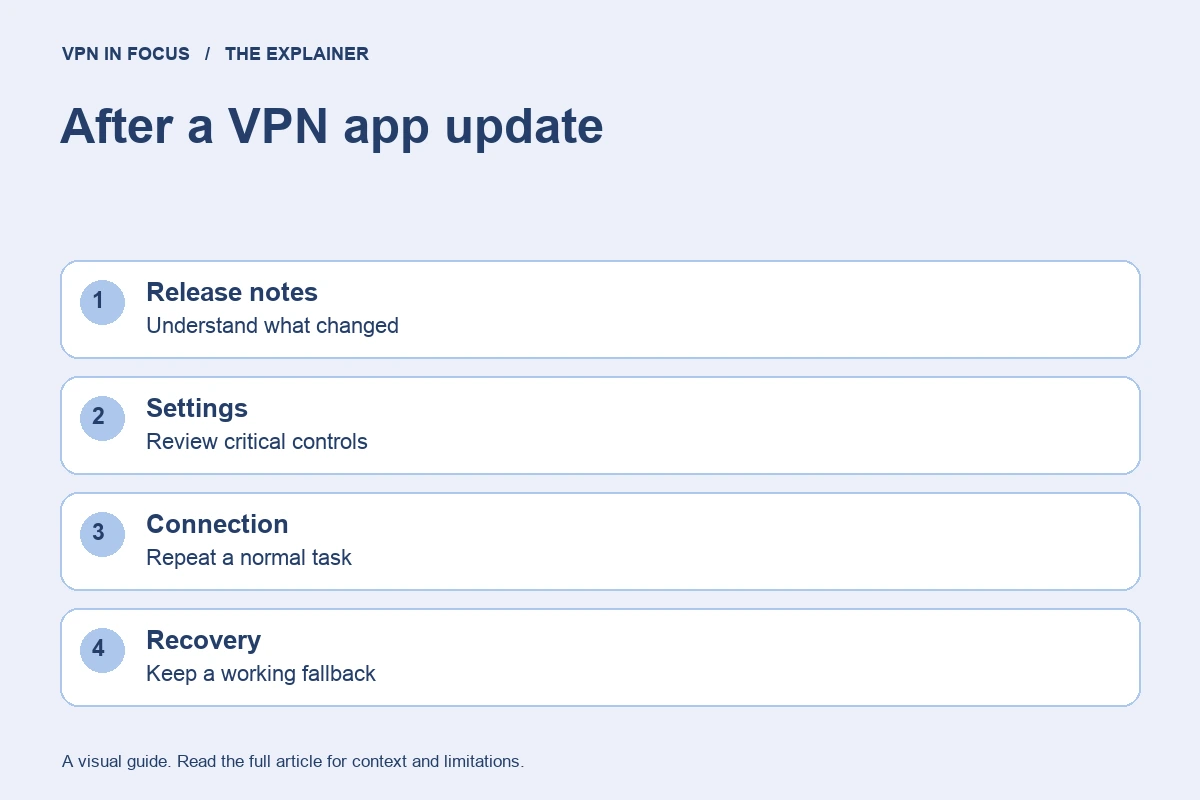
Read the relevant release information
Use the provider’s official update channel and notes. Focus on changes affecting your platform, protocol, routing, or connection controls. A feature added to another operating system may not change your app at all.
Keep the version number when reporting a problem. “The latest app” becomes ambiguous as releases roll out and time passes. An exact version, operating-system version, and short symptom description make a support conversation more useful.
Check the settings that define the route
Review automatic connection, kill-switch mode, split-tunneling exceptions, and any custom DNS configuration. You do not need to toggle everything; the first task is to confirm that the intended settings remain understandable and available.
If a label changes, read the new description instead of assuming it is identical to the previous one. Similar wording can conceal a difference between unexpected-disconnection protection and a persistent block. The documentation should define the behavior you rely on.
Repeat one ordinary transition
Choose a low-risk moment to let the device sleep and wake, or move between Wi-Fi and mobile data if that is part of your routine. Observe whether the connection recovers in the way you expect. Avoid using a sensitive task as the experiment.
A single observation does not certify the entire app. It is a practical check for a workflow you use often. If the behavior changes unexpectedly, record the circumstances and ask support before accumulating new workarounds.
This week’s practical check
Remove one outdated note or exception that no longer applies after a documented fix. Keep the reason for any exception that remains. A simpler configuration is easier to understand than a history of forgotten troubleshooting steps. Our kill-switch guide explains the transitions worth checking when connection behavior matters to you.
Sources & further reading
This evergreen briefing was prepared on September 24, 2026 for scheduled publication. It does not report a future event. Check linked documentation for changes to product behavior.
About the author

Maya’s section makes the mechanics of online privacy easier to understand. Topics include encrypted connections, public Wi-Fi, browser privacy, and small settings changes that readers can check on their own devices.
Maya Bennett is a fictional contributor profile created for this publication. This profile does not represent a verified individual or professional credentials. Read our editorial policy.