Simple everyday setup
Our take
A straightforward VPN with useful routing controls; check the exact app and renewal terms.
Who is TotalVPN for?
TotalVPN is worth a look if your first priority is an approachable VPN on a laptop, phone or Apple TV. Its current support guides cover ordinary connection tasks as well as more selective routing. That makes it a more interesting product than a simple on/off switch, but the exact application matters: information about the standalone VPN should not automatically be applied to a VPN bundled inside another Total Security product.
Our view is to judge TotalVPN on the devices you actually use, then evaluate the subscription separately. An attractive introductory offer is useful only if the included connections, renewal price and cancellation process suit you. We would shortlist it for a simple daily routine and compare alternatives if you specifically need documented incoming port forwarding, open-source applications or a multi-hop route.
What stands out
- Guided desktop, mobile and Apple TV setup
- Split-tunneling options on supported apps
- Connection protocol choices in current apps
What to weigh up
- Features differ between standalone and bundled products
- Confirm the device allowance for your offer
- Cancelling renewal does not automatically request a refund
TotalVPN at a glance
| Devices | Plan-dependent; confirm the allowance at checkout |
|---|---|
| Free plan | No permanent free plan documented |
| Protocols | WireGuard and Hydra in supported standalone apps; older product pages list OpenVPN/IKEv2 |
| Platforms | Windows, macOS, Android, iOS and Apple TV; features vary |
| Port forwarding | No incoming forwarding documented |
| Refund conditions | 30 days annual/biannual; 14 days monthly/quarterly; termination and request required |
Plans, renewals and refunds
TotalVPN advertises several billing periods. Its published refund explanation distinguishes annual and biannual plans, with a 30-day window, from monthly and quarterly plans, with a 14-day window. It also distinguishes turning off renewal from terminating the subscription and requesting a refund. That difference deserves attention before buying: stopping the next payment is not the same instruction as asking for your current payment back.
Look at the final order summary rather than a monthly equivalent in an advertisement. Write down the amount charged today, the length of the initial term, the next charge date and the renewal amount. Check whether additional services have separate subscriptions. A shared account portal does not necessarily mean every product will cancel together.
As a hypothetical example, an offer costing $24 for the first year and $96 for the next would cost $120 over two years, before any tax. That is an illustration of how to compare terms, not a TotalVPN price quotation. Use the amounts on your own checkout page and avoid adding an antivirus or ad blocker merely because it is presented beside the VPN.
Installation and first connection
The installation guide covers Windows, macOS, Android, iOS and Apple TV. Begin from the official download page or the matching official app-store listing. A VPN needs permission to create a network configuration; confirm that the permission prompt belongs to the app you chose. After signing in, establish a connection before changing advanced controls.
On a Mac, the current guide describes additional steps to enable WireGuard and Hydra extensions. This is a useful reminder that having a protocol listed in a product description does not mean it is ready to use on every installation. Complete the operating-system approval flow, then reopen the application and confirm the selected protocol.
For a travel setup, prepare the laptop and phone separately. Sign in while you still have reliable internet, save the account-recovery method, and check what happens when the device wakes from sleep. A successful first connection is encouraging; it does not establish that the VPN will recover cleanly after every network change.
Protocols and split tunneling
Current standalone-app instructions mention WireGuard and Hydra, while some marketing text still mentions OpenVPN and IKEv2. We therefore avoid presenting one universal protocol list as if all apps offered the same controls. Use the current support instructions for your operating system and the choices visible in your installed version.
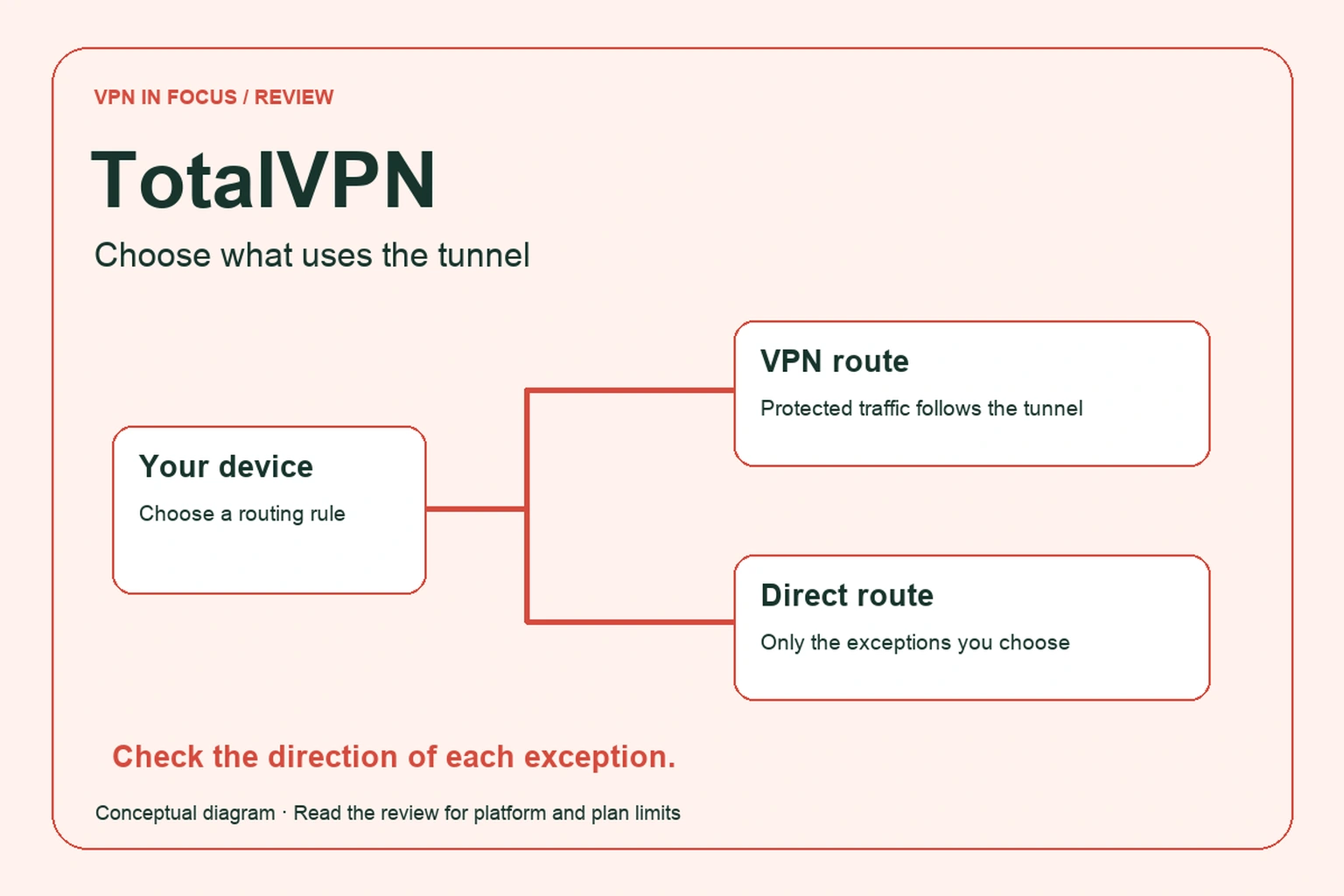
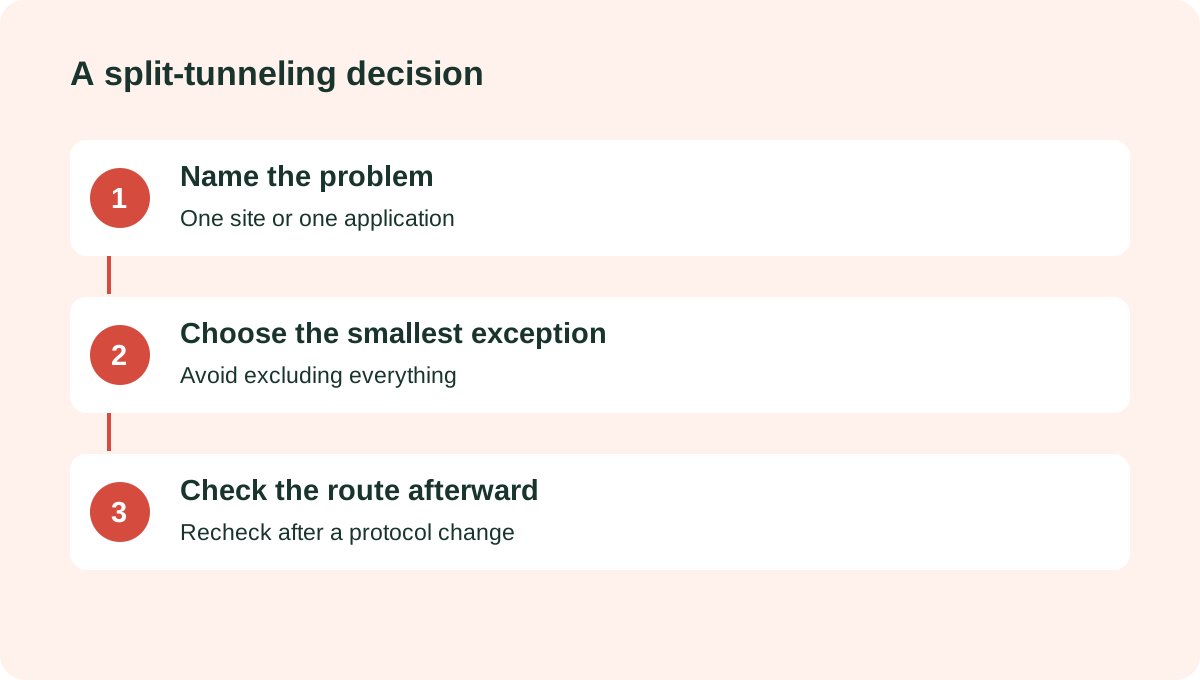
The split-tunneling guide describes website-based rules on Windows and application exclusions on Android. It also refers to Hydra for the documented workflow. This is useful when one local service needs a direct connection, but the direction of a rule matters. A list of websites that bypass the tunnel is different from a list of websites that are the only traffic sent through it.
For example, if a local delivery site struggles with a VPN address, create the smallest necessary exception and check it. Do not put an entire browser outside the tunnel when a narrower website rule would solve the issue. If you switch protocols later, revisit the rule rather than assuming it still has the same effect.
Privacy claims and protection limits
TotalVPN’s product overview says it does not retain browsing history. Treat that as a provider policy statement, not proof that no data exists anywhere in the service. Account details, payments, website analytics and support conversations have different purposes from VPN traffic records. Read the privacy policy applying to the product and contracting entity shown on your order.
The practical protection is an encrypted route from the device to the VPN exit for traffic included in the tunnel. It does not make a signed-in shopping account anonymous, remove browser fingerprints or stop you from entering information into a phishing page. Keep HTTPS enabled and use unique passwords even while connected.
If a kill switch or always-on setting is essential, confirm the exact platform behavior. Observe what happens during sleep, a Wi-Fi-to-mobile transition and a temporary loss of connectivity. Do this with an ordinary test page, without relying on sensitive traffic as the experiment.
Streaming, speed and everyday reliability
We have not run a laboratory speed test or verified a list of streaming services for this review. A server’s location and a provider’s streaming claim do not guarantee that a particular account will work on a particular evening. Streaming services can change their access rules, and availability can differ between the TV app and a browser.
Evaluate the tasks that matter to you: a video call, a normal download, a short stream and access to a local printer. Try a nearby location first and change one variable at a time. If a call becomes unstable, compare the same task without the VPN and with a different supported protocol before attributing the issue to the whole network.
Incoming port forwarding and a conventional multi-hop connection were not established by the materials cited here. If either is essential, obtain a clear answer from support or compare a service with explicit documentation for that feature. An unclear specification should stay a question, rather than becoming an assumed checkmark.
TotalVPN compared with other choices
NordVPN is a useful comparison when you want more documented specialty connection modes. Proton VPN gives you a permanent free entry point and public app code. Surfshark deserves a look when a large household’s device allowance is the deciding factor.
TotalVPN can still be the right choice if its specific app is comfortable to use and its actual offer fits your budget. Decide using the features you can confirm and the conditions you can keep, rather than a long list of security products that you may never open.
| What matters | TotalVPNRead review → |  NordVPNRead review → NordVPNRead review → |  Proton VPNRead review → Proton VPNRead review → |
|---|---|---|---|
| Best fit | Simple everyday setup | Everyday features | Transparency & a free plan |
| Simultaneous devices | Plan-dependent; confirm the allowance at checkout | 10 | 10 paid / 1 free |
| Free plan | No permanent free plan documented | No permanent free plan | Yes — no data cap; restricted locations and features |
| Connection protocols | WireGuard and Hydra in supported standalone apps; older product pages list OpenVPN/IKEv2 | NordLynx, OpenVPN; NordWhisper on supported apps | WireGuard, OpenVPN, Stealth; platform availability varies |
| Multi-hop approach | No multi-hop feature documented | Double VPN | Secure Core (paid) |
| Blocking tools | Separate Total Adblock / TotalAV products; check bundle contents | Threat Protection; features vary by plan and platform | NetShield (paid) |
| Port forwarding | No incoming forwarding documented | Not offered | Paid desktop apps; supported P2P servers |
| Refund policy | 30 days annual/biannual; 14 days monthly/quarterly; termination and request required | 30 days; eligibility and purchase-channel terms apply | 30 days on eligible paid purchases; check current terms |
| Platform coverage | Windows, macOS, Android, iOS and Apple TV; features vary | Windows, macOS, Linux, Android, iOS; supported TV apps and routers | Windows, macOS, Linux, Android, iOS; supported TV apps and routers |
| Operating jurisdiction | Total Security; contracting entity depends on offer | Panama | Switzerland |
| Code transparency | Proprietary apps | Selected components; not all apps | Open-source VPN apps |
| Support options | Help center and account/billing support | Live chat and help center | Help center and support requests; live-chat availability varies |
| Current plans | View plans | View plans | View plans |
TotalVPN questions answered
Is TotalVPN the same as TotalAV?
They are related brands, but a standalone VPN and a security bundle can have different apps, entitlements and subscriptions. Check which product you are buying and whether add-ons renew separately.
Does cancelling renewal request a refund?
No. TotalVPN’s published explanation separates cancellation of future renewal from termination and a refund request. Follow the applicable process within the window for your billing term.
How many devices can I connect?
Confirm the allowance on your exact offer and account. We do not assign a universal device number where the cited product materials do not establish one consistently.
Check current plans, device support, renewal terms, and cancellation conditions directly with the provider.
Visit TotalVPNSources & further reading
Provider statements describe advertised capabilities. They are not independent performance measurements. Sources were consulted while preparing this article on September 24, 2026.
About the author

Alex’s coverage starts with a simple question: what do you actually need a VPN to do? This profile brings together buying guides and service comparisons, with a focus on subscription terms, device compatibility, and useful everyday features.
Alex Morgan is a fictional contributor profile created for this publication. This profile does not represent a verified individual or professional credentials. Read our editorial policy.