Custom rules & flexible plans
Our take
A configurable VPN with a useful free tier, domain filtering and connection fallbacks.
Who gets the most from Windscribe?
Windscribe suits a reader who likes understanding and adjusting a connection. Its appeal is the combination of a free starting point, flexible protocol choices, custom domain filtering and paid options for incoming connectivity. That collection can be useful, but it rewards a little attention to how the features interact.
We would shortlist it for someone who wants a configurable tool rather than a subscription chosen only for a promotional monthly price. If you prefer the smallest possible set of choices, compare its interface with a more guided service before committing.
The free tier is particularly useful for that decision. It lets you explore the app with a limited allowance, while the paid plans have their own distinctions. Build A Plan and full Pro should not be treated as interchangeable simply because both require payment.
What stands out
- Free data allowance without a paid commitment
- Custom R.O.B.E.R.T. blocking rules
- Protocol choices and paid port-forwarding options
What to weigh up
- Free data is shared across your devices
- Build A Plan is not identical to full Pro
- Refund conditions are narrower than a typical 30-day guarantee
Windscribe at a glance
| Devices | Unlimited personal devices, subject to account-sharing rules |
|---|---|
| Free plan | 2 GB/month; 10 GB with a confirmed email address |
| Protocols | WireGuard, IKEv2, OpenVPN, Stealth and WStunnel; platform limits apply |
| Platforms | Windows, macOS, Linux, Android, iOS, TV apps and browser extensions |
| Port forwarding | Ephemeral forwarding on Pro; static-IP forwarding is separate |
| Refund conditions | Conditional initial-payment refund: consult 7-day and 10 GB limits |
Free, Build A Plan and Pro
A new free account receives 2 GB per month, with 10 GB available after adding and confirming an email address. That is a recurring allowance, not unrestricted data. Keep track of the account’s reset date and remember that multiple active devices can consume the same allowance.
The free tier is a sensible way to try the interface and an ordinary connection. It is less suitable for an ongoing workload dominated by large files or video. An operating-system update can use a meaningful share of the allowance without any visible browsing session.
Before choosing a paid tier, identify the feature that motivates the upgrade. More locations, more data, additional filtering rules and incoming forwarding are different requirements. In particular, the port-forwarding documentation says that ephemeral forwarding is a Pro feature, not a Build A Plan entitlement.
R.O.B.E.R.T. and custom blocking rules
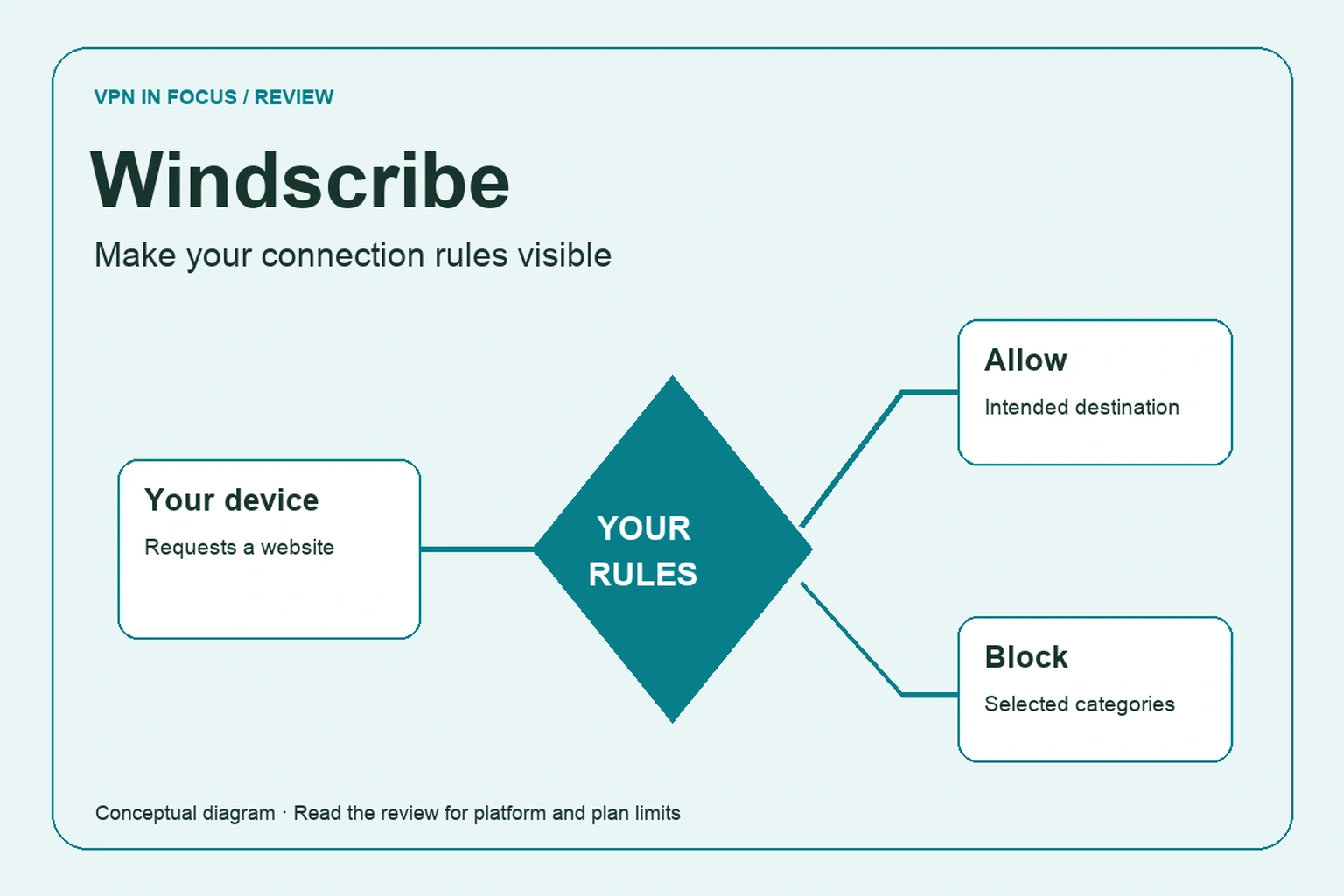
R.O.B.E.R.T. is Windscribe’s configurable domain and IP filtering system. It works at a different layer from encryption: the VPN carries traffic, while the filter decides whether selected destinations should be reachable. The provider documents different rule allowances across plans.
This can be helpful when you want consistent blocking across devices using the service. It also requires restraint. A broad category block may stop a legitimate checkout, video player or sign-in dependency. If something fails, investigate the specific domain rather than switching off every protection at once.
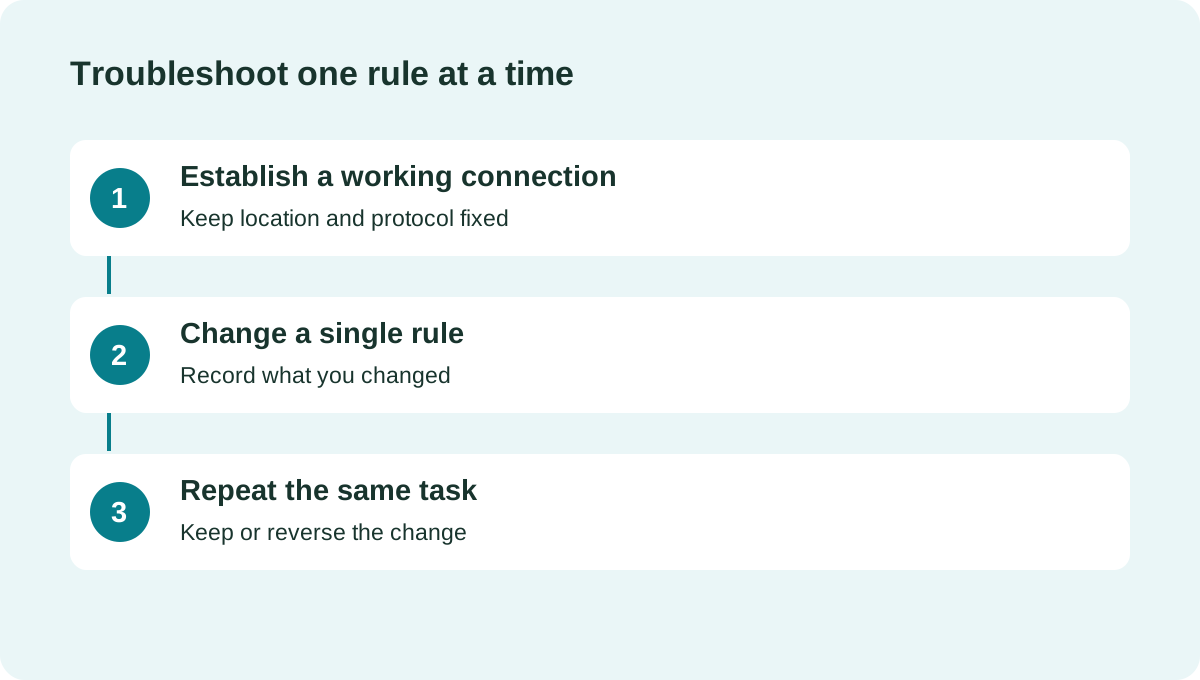
For example, after adding a custom block, test the two or three sites you use most. If a work tool stops loading, temporarily reverse that rule to check whether it caused the problem. Keep a short description beside your own record of each exception so that the configuration remains understandable months later.
Connection fallbacks and the firewall
Windscribe documents WireGuard, IKEv2, OpenVPN UDP and TCP, Stealth and WStunnel. These offer different connection paths; they are not six settings you need to enable simultaneously. Begin with the default and use alternatives when there is a concrete connectivity problem.
Its desktop Firewall feature is intended to block connectivity outside the VPN tunnel. The documentation distinguishes automatic, manual and always-on behavior. Read those modes carefully: deliberately keeping a firewall active while the VPN is disconnected can leave you without ordinary internet access, which may be expected behavior rather than a fault.
After changing the mode, test a normal disconnect, an interrupted connection and a restart. Work out how you will regain connectivity if the VPN cannot reach a server. Mobile protection is implemented through different app and operating-system controls, so a desktop setting name should not be assumed to describe identical mobile behavior.
Port forwarding: Pro and static IP options
The provider describes ephemeral port forwarding for Pro subscribers, with rules that last seven days, and a separate approach tied to a purchased static IP. The relevant choice is whether you need a temporary incoming path or a persistent address arrangement.
For a legitimate application that accepts incoming connections, record the assigned port and the rule’s expiration. If you continue using it beyond that period, check whether the mapping must be renewed. A client configured with an expired port can still appear connected while losing the incoming behavior you expected.
Do not expose a sensitive administration panel through a forwarded port just to test that it works. Use an application you understand, keep it updated and remove access when it is no longer needed. A static IP also is not automatically a private address used by only one customer; read the precise product description.
What the policy says it retains
Windscribe’s privacy policy distinguishes browsing history from limited account usage information. It describes retained bandwidth totals and the time of the account’s last activity, and says that historical VPN sessions, source IP addresses and visited sites are not stored. This is more informative than interpreting no logs as literally no data of any kind.
The policy also explains short-lived connection information and abuse controls. Read that in the context of the free quota and simultaneous use. A usage counter and a list of websites are different records, but the distinction should be explicit before you decide whether the service matches your expectations.
The provider links public application repositories. Public code can help independent examination, but publication is not a guarantee that every operational system has been audited. Consider app transparency, server operations and the legal terms as separate parts of the evidence.
Refund conditions deserve an early read
Windscribe’s terms describe a conditional refund for an initial subscription payment, with a short time window, a usage limit below 10 GB and a troubleshooting requirement. The text uses both seven-business-day and seven-day wording. Ask support to clarify any ambiguity before purchase; do not assume the more generous interpretation.
This is meaningfully different from a broad 30-day evaluation promise. The practical response is to use the free account first and investigate a paid-only problem promptly. Keep track of usage while seeking support, because continuing to transfer large amounts of data can affect eligibility.
Renewals are treated differently from the initial payment in the published terms. If you do not want another term, check renewal management in advance instead of relying on a refund after the charge has happened.
How to evaluate a configurable VPN
Windscribe offers enough controls that an unstructured test can become confusing. Start with one device, one nearby location and the default protocol. Record the baseline without the VPN, then repeat a normal task while connected.
Next, change only the setting that addresses a specific problem. If you alter a firewall mode, protocol, DNS rule and location together, you will not know which one helped. For everyday use, a configuration that reconnects predictably is often more useful than a slightly higher peak download result.
We have not measured Windscribe’s performance or verified a streaming catalog. Assess the services you actually use with your own account and the applicable service rules. A browser extension and the device application can also affect different traffic, so identify which one is active during the test.
Windscribe versus Proton VPN and PIA
Proton VPN is worth comparing when a free plan without a data cap is the priority. Private Internet Access is a useful reference for advanced desktop controls and forwarding. PrivadoVPN offers another way to try a limited high-speed free allowance before upgrading.
Windscribe is most persuasive when you will actually use its custom rules or protocol options. If you never intend to adjust either, compare the everyday interface and purchase terms first.
| What matters | WindscribeRead review → |  Proton VPNRead review → Proton VPNRead review → |  Private Internet AccessRead review → Private Internet AccessRead review → |
|---|---|---|---|
| Best fit | Custom rules & flexible plans | Transparency & a free plan | Advanced connection controls |
| Simultaneous devices | Unlimited personal devices, subject to account-sharing rules | 10 paid / 1 free | Unlimited |
| Free plan | 2 GB/month; 10 GB with a confirmed email address | Yes — no data cap; restricted locations and features | No permanent free plan |
| Connection protocols | WireGuard, IKEv2, OpenVPN, Stealth and WStunnel; platform limits apply | WireGuard, OpenVPN, Stealth; platform availability varies | WireGuard and OpenVPN; other options vary by app |
| Multi-hop approach | Desktop VPN plus browser extension can use different locations | Secure Core (paid) | VPN with proxy routing on supported desktop apps |
| Blocking tools | R.O.B.E.R.T. domain/IP filtering; limits vary by plan | NetShield (paid) | MACE; availability depends on app and distribution |
| Port forwarding | Ephemeral forwarding on Pro; static-IP forwarding is separate | Paid desktop apps; supported P2P servers | Supported server locations; not every region |
| Refund policy | Conditional initial-payment refund: consult 7-day and 10 GB limits | 30 days on eligible paid purchases; check current terms | 30 days for eligible purchases; exclusions apply |
| Platform coverage | Windows, macOS, Linux, Android, iOS, TV apps and browser extensions | Windows, macOS, Linux, Android, iOS; supported TV apps and routers | Windows, macOS, Linux, Android, iOS; supported routers and browser extensions |
| Operating jurisdiction | Canada | Switzerland | United States |
| Code transparency | Public app repositories | Open-source VPN apps | Open-source VPN apps |
| Support options | Knowledge base, support tickets and chatbot | Help center and support requests; live-chat availability varies | 24/7 customer support and help center |
| Current plans | View plans | View plans | View plans |
Windscribe questions answered
How much data is included for free?
The standard account starts with 2 GB per month. Adding and confirming an email address raises the standard allowance to 10 GB. Check your account for its reset date and any active promotion.
Does Build A Plan include ephemeral forwarding?
The provider’s forwarding guide says ephemeral forwarding requires Pro. Static-IP forwarding is a separate option with its own requirements.
Does no logs mean no account data?
No. Windscribe’s policy describes limited account usage information while distinguishing it from historical VPN sessions and browsing history. Read the categories and purposes separately.
Check current plans, device support, renewal terms, and cancellation conditions directly with the provider.
Visit WindscribeSources & further reading
Provider statements describe advertised capabilities. They are not independent performance measurements. Sources were consulted while preparing this article on September 24, 2026.
About the author

Daniel’s section looks beyond product headlines to the details: how an audit is scoped, what a protocol changes, and where a feature has limitations. Weekly briefings turn these subjects into practical reading and checklists.
Daniel Brooks is a fictional contributor profile created for this publication. This profile does not represent a verified individual or professional credentials. Read our editorial policy.