Who should choose NordVPN?
NordVPN makes the most sense when you want one subscription that can grow with your needs. You can start with an ordinary encrypted connection and explore specialty servers later. That is a different proposition from buying the smallest possible app, or choosing a service specifically for incoming port forwarding. Its broad feature set is a reason to shortlist it, but also a reason to check what your chosen plan actually includes.
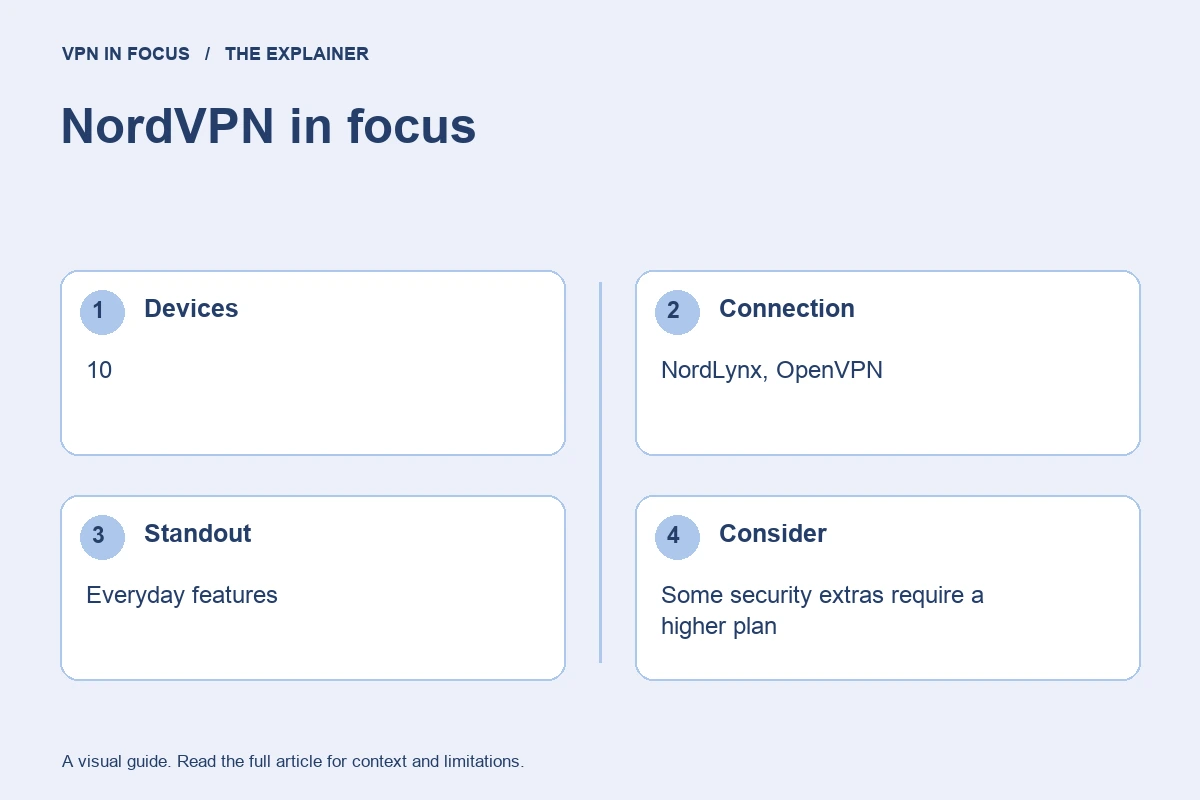
For a typical household, the ten-device allowance leaves room for several phones and computers without requiring a router installation. Count simultaneous connections, not just how many apps you can download. A VPN configured on a compatible router can cover devices behind that router, but it does not follow a phone when it leaves home.
Our recommendation is to start with the VPN features you will use every day: an automatic connection, a suitable protocol, reliable reconnection and clear protection settings. Evaluate the more expensive security bundles separately. Paying for cloud storage or a password manager makes sense only if those products replace something you need.
What stands out
- Ten simultaneous connections
- NordLynx and specialty connection modes
- Broad desktop and mobile coverage
What to weigh up
- Some security extras require a higher plan
- Feature availability differs between apps
- No incoming port forwarding
NordVPN at a glance
| Devices | 10 |
|---|---|
| Protocols | NordLynx, OpenVPN; NordWhisper on supported apps |
| Free option | No permanent free plan |
| Port forwarding | Not offered |
| Refund window | 30 days; eligibility and purchase-channel terms apply |
| Jurisdiction | Panama |
Prices, plans and renewal terms
NordVPN separates subscription duration from product tier. A longer commitment may lower the advertised monthly equivalent, while a higher tier adds services beyond the connection itself. These are two different decisions: first choose the features, then decide how long you are willing to prepay. The basic VPN connection should not be confused with every Threat Protection feature promoted elsewhere on the site.
Compare the total charged today with the renewal amount and renewal interval. A two-year introductory offer can renew on a different billing cycle. Save the checkout summary and set a reminder before the renewal date. NordVPN advertises a 30-day refund policy, but the purchase channel and current eligibility rules control how a request is handled. Turning off auto-renewal and requesting a refund are separate actions.
Plan choices at a glance
| Option | Main distinction | Buying consideration |
|---|---|---|
| Basic | Core VPN connection | A focused starting point for the tunnel itself |
| Complete | VPN with additional security and productivity tools | Check platform support and whether you need the extras |
| Prime | A broader bundle with identity-related benefits | Confirm regional eligibility and additional terms |
Example only: a $72 charge covering 24 months is a $3 monthly equivalent, not a $3 monthly payment. If renewal is $90 for 12 months, the later equivalent is $7.50. Use the actual checkout totals, taxes and term lengths for your offer.
Connection features and advanced tools
NordLynx is NordVPN’s WireGuard-based connection option. It is a sensible first protocol to try on supported devices because it is designed for an efficient VPN tunnel. OpenVPN remains useful when a network behaves differently with UDP and TCP traffic. NordWhisper addresses particular restrictive-network situations; it is not a reason to force the same protocol on every connection.
Double VPN routes the connection through two VPN servers. That can change the trust and routing picture, but it also adds distance and complexity. For an ordinary video call or a nearby website, a regular single-hop connection is usually the simpler starting point. A dedicated IP, where available as an add-on, gives you a more consistent exit address. It does not provide the same shared-address crowd as a normal VPN server.
Threat Protection is an umbrella for tools that go beyond changing your IP address. Check the exact subscription and operating system before assuming ad blocking, malicious-file checks and other protections are all included. A browser extension also has a narrower scope than a full-device VPN app: other applications do not automatically inherit its browser connection.
Privacy, logging and security
NordVPN’s trust center collects its security and audit information. Read what an assessment covered and when it was performed, rather than treating an audit badge as a guarantee about every future app release. A no-activity-logs statement concerns the VPN service’s handling of traffic; billing records, account details and optional diagnostic information are different categories.
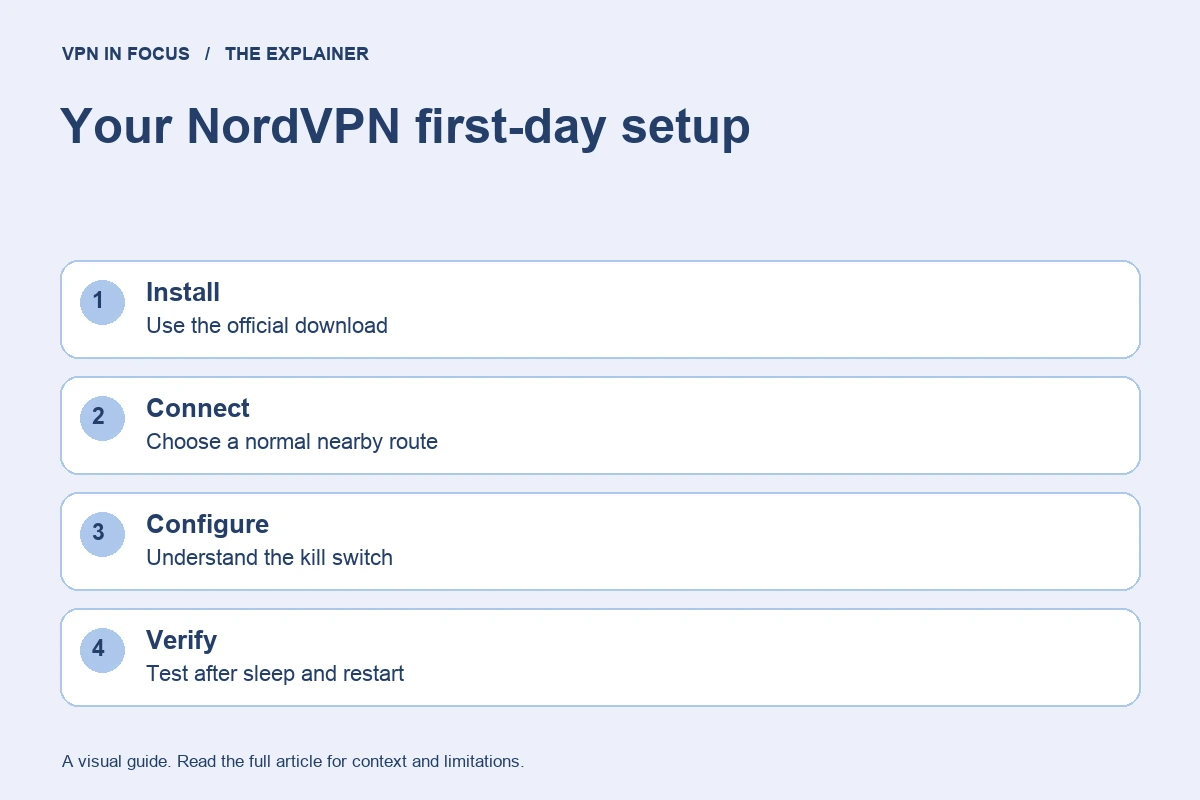
The kill switch deserves attention during setup. On Windows, NordVPN documents an Internet Kill Switch in its settings. Check the behavior on your own platform, including what happens after sleep, a server change and an unexpected connection loss. A manual disconnect may behave differently from a failed tunnel. Do not assume an option with a familiar name has identical behavior on macOS, Windows and mobile.
The service still becomes a party you trust with your network connection. HTTPS continues to protect the content of a properly secured website connection after it leaves the VPN server. Signing into a website still identifies your account, and a VPN does not remove cookies or prevent every form of browser fingerprinting.
Speed and connection reliability
A protocol name and a large network are not measurements of your connection. For NordVPN, begin with the automatic or nearby server selection and NordLynx, then compare a second nearby location if performance is inconsistent. Using Double VPN while measuring everyday performance answers a different question from testing a standard connection.
Look at responsiveness as well as download throughput. A remote exit can load a speed-test file quickly yet add noticeable delay to calls or games. If your laptop works well but your TV buffers, compare the TV’s Wi-Fi connection and app support before blaming the whole VPN service. Keep the original network, test destination and time window consistent when changing one setting.
This is a research-based assessment of documented features and policies. We have not performed a controlled hands-on speed, leak or streaming test for this review. No measured score or pass result is implied. Provider sources and the review date are listed below.
Streaming and viewing on different devices
NordVPN can be considered for streaming on supported devices, but service access is a moving target. A subscription does not guarantee a particular regional catalogue or a live sporting event. Check the streaming service’s terms, account region and supported payment details. Test the actual app and device you plan to use during the eligible refund period, rather than relying on a result reported for someone else’s browser months earlier.
Torrenting and incoming connections
For authorized peer-to-peer downloads, the important distinction is between a working encrypted connection and incoming connectivity. NordVPN does not offer incoming port forwarding. If you specifically need that feature for a permitted P2P application, compare Proton VPN’s supported paid desktop configuration or PIA’s supported locations. Enabling a kill switch and verifying the application’s network binding can be more relevant than selecting a distant server.
Apps, compatibility and getting started
The major desktop and mobile platforms are covered, with additional options for supported streaming devices, browsers and routers. The word “supported” matters: a console normally uses a router or another supported network arrangement rather than installing the desktop app directly. A router also needs enough processing capacity to run the VPN at the speed you expect.
On Windows, the documented setup moves from installation to a browser-based account sign-in, then back to the app. NordVPN’s connection button can choose a suitable server automatically. Start there before changing specialty settings. On Apple devices, check the installation source and current feature guide because permissions and available controls can differ.
A focused first-day check
- Install the official app and establish a normal nearby connection.
- Confirm the public exit address and test the applications you actually use.
- Read the kill-switch settings and verify reconnection after sleep or a network change.
- Add one optional feature at a time, recording any intentional routing exception.
- Keep the purchase receipt, renewal date and relevant refund deadline.
Customer support and troubleshooting
The help center and live chat provide a route to installation and connection assistance. A useful support request includes your operating system, app version, protocol, approximate server location and a short description of what fails. Describe whether the problem affects every website or one application. Never send a password or recovery code, and inspect diagnostic files before sharing them.
How it compares with the alternatives
Choose Surfshark instead if removing the numerical device ceiling is your main priority. Choose Proton VPN if a permanent free plan and open-source apps matter more to you than NordVPN’s bundled security options. Choose PIA if incoming port forwarding and detailed connection controls are central to your workflow. ExpressVPN is another candidate if you prefer a streamlined connection interface and want to explore a supported router product.
| What matters |  NordVPNRead review → NordVPNRead review → |  SurfsharkRead review → SurfsharkRead review → |  Proton VPNRead review → Proton VPNRead review → |
|---|---|---|---|
| Best fit | Everyday features | Multi-device households | Transparency & a free plan |
| Simultaneous devices | 10 | Unlimited | 10 paid / 1 free |
| Free plan | No permanent free plan | No permanent free plan | Yes — no data cap; restricted locations and features |
| Connection protocols | NordLynx, OpenVPN; NordWhisper on supported apps | WireGuard, OpenVPN; IKEv2 on supported apps | WireGuard, OpenVPN, Stealth; platform availability varies |
| Multi-hop approach | Double VPN | Dynamic MultiHop | Secure Core (paid) |
| Blocking tools | Threat Protection; features vary by plan and platform | CleanWeb; additional security products depend on plan | NetShield (paid) |
| Port forwarding | Not offered | Not offered | Paid desktop apps; supported P2P servers |
| Refund policy | 30 days; eligibility and purchase-channel terms apply | 30 days; eligibility and purchase-channel terms apply | 30 days on eligible paid purchases; check current terms |
| Platform coverage | Windows, macOS, Linux, Android, iOS; supported TV apps and routers | Windows, macOS, Linux, Android, iOS; supported TV apps and routers | Windows, macOS, Linux, Android, iOS; supported TV apps and routers |
| Operating jurisdiction | Panama | Netherlands | Switzerland |
| Code transparency | Selected components; not all apps | Selected components; not all apps | Open-source VPN apps |
| Support options | Live chat and help center | Live chat and help center | Help center and support requests; live-chat availability varies |
| Current plans | View plans | View plans | View plans |
Frequently asked questions
Is NordVPN a free VPN?
There is no permanent free consumer plan in this comparison. Trials, promotional offers and a refund guarantee are different arrangements; check the terms of the specific offer.
Does NordVPN protect every device on my Wi-Fi?
Installing it on one laptop protects that laptop’s supported traffic. To cover devices through a shared network, you need a compatible router configuration or apps on the individual devices.
Which NordVPN plan should I start with?
Begin with the plan that includes the VPN functions you need. Add bundled security services only after checking their platform support, renewal cost and overlap with tools you already use.
Check current plans, device support, renewal terms, and cancellation conditions directly with the provider.
Visit NordVPNSources & further reading
Provider statements describe advertised capabilities. They are not independent performance measurements. Sources were consulted while preparing this article on September 24, 2026.
About the author

Daniel’s section looks beyond product headlines to the details: how an audit is scoped, what a protocol changes, and where a feature has limitations. Weekly briefings turn these subjects into practical reading and checklists.
Daniel Brooks is a fictional contributor profile created for this publication. This profile does not represent a verified individual or professional credentials. Read our editorial policy.