Free-to-paid simplicity
Our take
A familiar free entry point and paid plans built around a simple connection experience.
Who should consider Hotspot Shield?
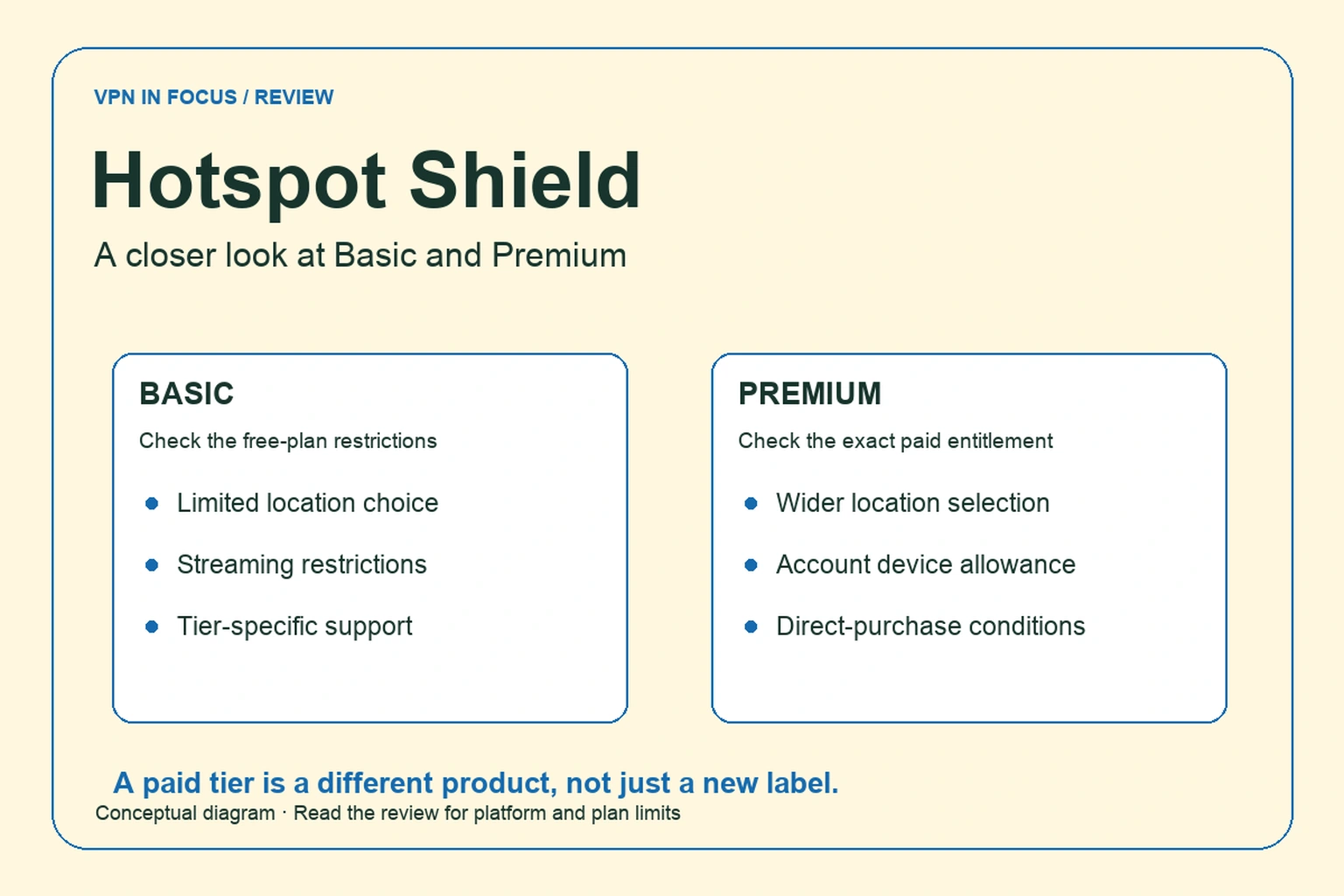
Hotspot Shield is worth examining if you want a recognizable free entry point and a relatively simple path to a paid VPN. Its Basic and Premium experiences differ substantially, so the first decision is which product you actually need. Someone checking occasional browsing has a different requirement from someone buying a VPN for regular television use.
The service is associated with its Hydra protocol, but its support material also discusses other options on supported platforms. We would evaluate it through the app you will use rather than choosing solely because of a protocol brand or a headline claim about speed.
There is a practical complication in the sales material: device allowances differ between newer Premium support instructions and some plan tables. We keep this visible. Before subscribing, confirm the entitlement attached to your particular offer, especially if you already have a legacy subscription.
What stands out
- Free Basic tier for limited use
- Hydra and other protocol options by platform
- 45-day refund offer for eligible direct subscriptions
What to weigh up
- Basic does not include the paid streaming product
- Different sales pages show different device tiers
- Some features depend on the selected protocol
Hotspot Shield at a glance
| Devices | Up to 10 on newer Premium accounts; legacy plans vary |
|---|---|
| Free plan | Basic tier; locations, ads and streaming restrictions vary |
| Protocols | Hydra, WireGuard and IKEv2; platform availability varies |
| Platforms | Windows, macOS, Android and iOS; check TV/router support by plan |
| Port forwarding | No incoming forwarding documented |
| Refund conditions | 45 days for eligible direct purchases; store rules differ |
Basic and Premium solve different needs
The support comparison describes Basic as a restricted product, with fewer locations and streaming limitations. It also identifies advertising in the Android experience. Premium adds a broader location selection, an ad-free product experience and additional support access. Availability and exact allowances should be checked in the current app.
Use Basic to investigate ordinary connection behavior and whether the interface suits you. Do not infer that it is a free version of every paid streaming feature. A payment prompt during a particular task may be a plan restriction rather than a broken connection.
For a fair decision, list the activities you need before trying either tier. If you only want a connection while reading email on hotel Wi-Fi, your list is short. If the requirement includes a television, a preferred country and a particular protocol, confirm each one rather than assuming Premium unlocks every feature on every device.
Device registration and household planning
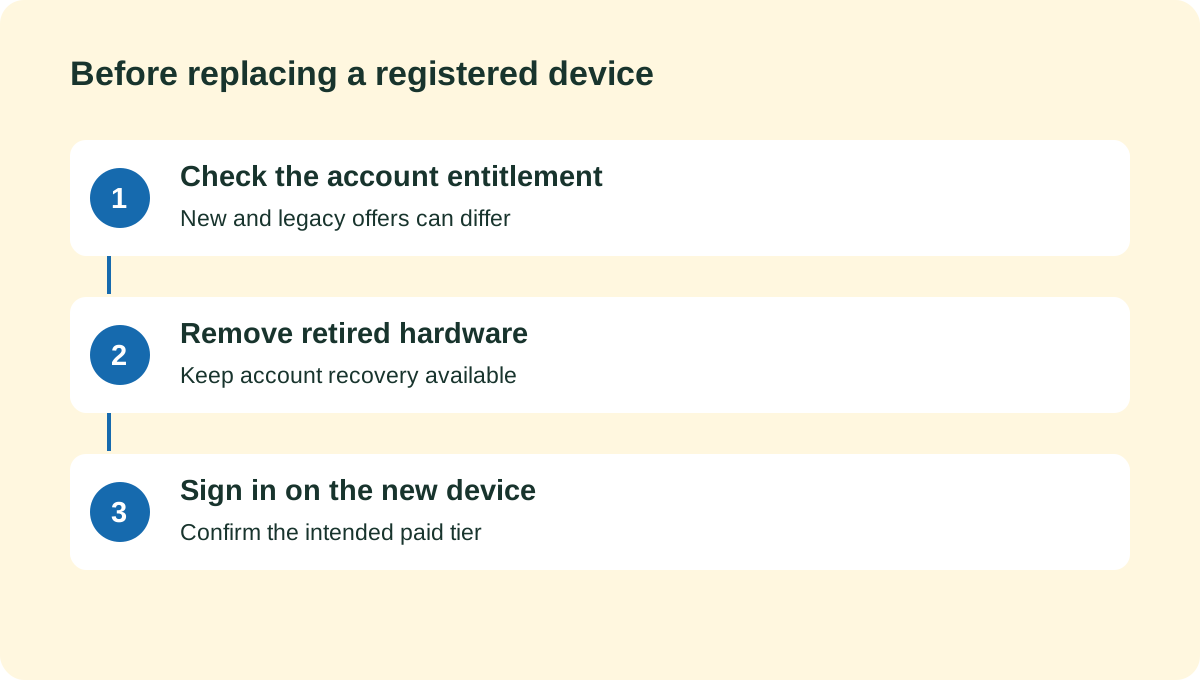
A current support article allows up to ten devices linked to a Premium account and explains that an old device must be removed before another can be added after the limit is reached. Another support note ties the ten-device allowance to newer website purchases. Older plan tables can show smaller counts.
That is why we avoid reducing the product to a universal ten-device promise. Ask which entitlement applies to your account, whether devices are registered, and how replacements are managed. A registration limit can feel different from a limit that only counts actively connected devices.
For example, an old phone you no longer use may still occupy an account slot. Before diagnosing a failed sign-in as a VPN outage, inspect device management. When replacing hardware, remove the retired device after you have safely transferred account access.
Hydra, WireGuard and IKEv2
Hotspot Shield’s protocol guide discusses Hydra, WireGuard and IKEv2. The selection depends on the operating system and current application. A protocol available on one desktop does not establish that the television app or a mobile version offers the same choice.
Start with the recommended configuration and change protocols only with a purpose, such as investigating a connection problem. After a change, recheck dependent features. A routing exception or protection setting that works with one mode should not be presumed to behave identically with another.
Hydra is a proprietary protocol. That is a useful distinction for a reader evaluating openness, but it does not by itself establish a measured security or speed result. Likewise, selecting an open protocol does not make the entire VPN application open source.
Privacy and optional protection features
Read the service privacy policy and the disclosures for the exact app and tier. A free product with advertising raises different questions from a paid ad-free experience: what information supports the ads, what diagnostics are collected, and how account data is handled.
The important distinction is between the content of tunnel traffic and the surrounding service data. An account identifier, a crash report and a history of requested websites are not the same category. Avoid interpreting a broad marketing statement as a promise that every system associated with the product is data-free.
Phishing or domain protection can be an additional layer, but it does not replace checking the destination of a payment or login. A VPN also cannot undo permission already given to a browser extension. Review those permissions separately from the network connection.
Streaming and speed claims
Hotspot Shield prominently markets performance and streaming. This review does not reproduce those claims as our own benchmark. We have not measured a speed advantage over competitors or verified access to every service mentioned by the provider.
Streaming access is a moving target involving the account, region, device and streaming service’s rules. A successful browser session does not prove that the television app will behave the same way. Evaluate the actual combination you plan to use during the applicable purchase window.
For everyday performance, watch connection stability as well as download speed. A video call that repeatedly stalls may be a worse experience than a modestly slower download. Keep the location and protocol constant when comparing results, then change one at a time to isolate the cause.
Pricing, trials and the refund window
The main site advertises a 45-day refund window for eligible purchases made directly from the provider. Do not assume that an app-store subscription, a third-party promotion or every renewal follows that exact process. Read the terms on the checkout path you actually use.
A trial can turn into a recurring subscription. Set a reminder before its conversion date and keep evidence of the plan you selected. If you request a refund, make sure you understand whether renewal has also been disabled; the two actions can be separate.
Compare the VPN itself with the full bundle price. Password tools, antivirus or other extras only add value if you need them and they work on your devices. If you already have equivalent tools, the useful comparison is the VPN’s cost and performance, not the number of icons in the offer.
A careful first-week setup
Install the official app, sign into the correct plan and select a nearby location. Confirm that the interface identifies the connection as active. Then check a public-IP lookup before and after connecting, understanding that this is a routing check rather than a complete security test.
Next, use the tasks that matter to you and observe behavior after sleep and network changes. Check protection settings again if you switch protocols. If something breaks, record the app version, platform, server and error message before contacting support.
Keep a fallback for an important meeting or travel login. The goal of evaluation is a dependable routine, not proving that every setting must work in the most complicated combination.
Which services belong beside Hotspot Shield?
PrivadoVPN and Proton VPN offer different free-plan trade-offs. Compare their quotas, location choices and device rules rather than judging only by the word free. TotalVPN is another candidate for a guided everyday setup, with its own plan conditions and app differences.
| What matters | Hotspot ShieldRead review → |  PrivadoVPNRead review → PrivadoVPNRead review → |  Proton VPNRead review → Proton VPNRead review → |
|---|---|---|---|
| Best fit | Free-to-paid simplicity | Try before upgrading | Transparency & a free plan |
| Simultaneous devices | Up to 10 on newer Premium accounts; legacy plans vary | 10 paid / 1 free in support documentation; confirm newer offers | 10 paid / 1 free |
| Free plan | Basic tier; locations, ads and streaming restrictions vary | 10 GB high-speed data per 30 days; slower access afterward | Yes — no data cap; restricted locations and features |
| Connection protocols | Hydra, WireGuard and IKEv2; platform availability varies | WireGuard, OpenVPN and IKEv2; availability varies | WireGuard, OpenVPN, Stealth; platform availability varies |
| Multi-hop approach | No standard multi-hop feature documented | No standard multi-hop feature documented | Secure Core (paid) |
| Blocking tools | Phishing protection; other security products depend on bundle | Control Tower; paid features and bundles vary | NetShield (paid) |
| Port forwarding | No incoming forwarding documented | Not documented in the cited standard plan | Paid desktop apps; supported P2P servers |
| Refund policy | 45 days for eligible direct purchases; store rules differ | 30 days advertised; verify term and payment eligibility | 30 days on eligible paid purchases; check current terms |
| Platform coverage | Windows, macOS, Android and iOS; check TV/router support by plan | Windows, macOS, Android, iOS, Fire TV, Android TV, Apple TV and browser extensions | Windows, macOS, Linux, Android, iOS; supported TV apps and routers |
| Operating jurisdiction | See the service’s current contracting entity and policy | Switzerland | Switzerland |
| Code transparency | Proprietary Hydra and apps; other protocols have separate code | Proprietary apps | Open-source VPN apps |
| Support options | Premium live chat/email; Basic help center | Help center, chat and email support | Help center and support requests; live-chat availability varies |
| Current plans | View plans | View plans | View plans |
Hotspot Shield questions answered
Is Basic the same as Premium with fewer locations?
No. The documented differences also include streaming restrictions, advertising and support access. Check the current application and plan comparison for your platform.
How many devices does Premium include?
Current support documentation describes up to ten registered devices for newer eligible accounts. Older subscriptions and sales tables may differ, so verify the allowance attached to your purchase.
Does the 45-day guarantee cover every purchase?
The main site describes eligible direct purchases. App-store or third-party purchases can follow different conditions and refund procedures.
Check current plans, device support, renewal terms, and cancellation conditions directly with the provider.
Visit Hotspot ShieldSources & further reading
Provider statements describe advertised capabilities. They are not independent performance measurements. Sources were consulted while preparing this article on September 24, 2026.
About the author

Maya’s section makes the mechanics of online privacy easier to understand. Topics include encrypted connections, public Wi-Fi, browser privacy, and small settings changes that readers can check on their own devices.
Maya Bennett is a fictional contributor profile created for this publication. This profile does not represent a verified individual or professional credentials. Read our editorial policy.