 Straightforward connections
Our take
A streamlined connection experience built around Lightway.
Who should choose ExpressVPN?
ExpressVPN is worth considering when you want the connection itself to be straightforward. Its Lightway protocol, broad app range and Aircove router product form a coherent ecosystem for everyday use. The main buying complication is now the subscription tier: Basic, Advanced and Pro do not offer the same device allowance or collection of extra tools.
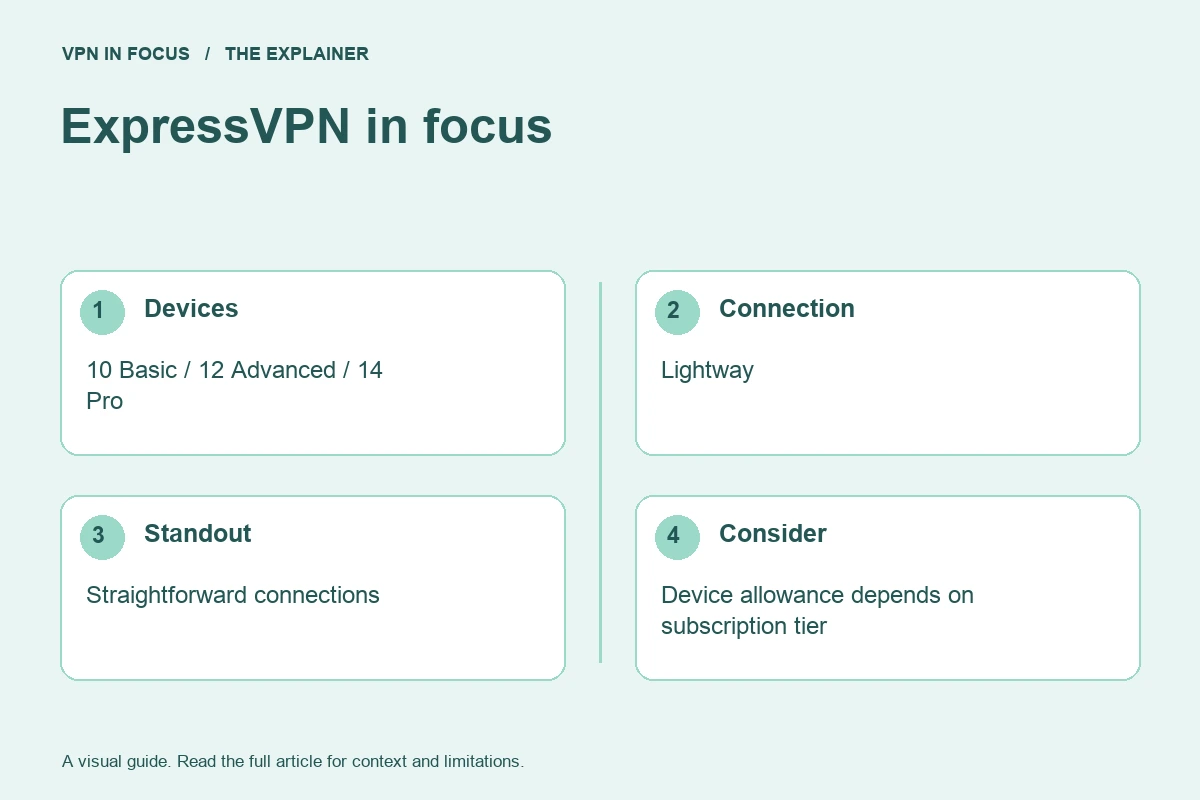
The current published simultaneous-connection limits are ten for Basic, twelve for Advanced and fourteen for Pro. That is important when comparing an older review or a remembered specification with the checkout page. Count the devices you really use together before paying for the highest tier.
Our take is that ExpressVPN belongs on a shortlist for people who value a consistent connection workflow and want to consider router coverage. It is less compelling if your must-have feature is user-configurable multi-hop or incoming forwarding on the VPN servers. Decide on those requirements before comparing introductory discounts.
What stands out
- Lightway available across major platforms
- Dedicated Aircove router option
- Published security and infrastructure information
What to weigh up
- Device allowance depends on subscription tier
- No custom multi-hop configuration
- Some additional tools are region-specific
ExpressVPN at a glance
| Devices | 10 Basic / 12 Advanced / 14 Pro |
|---|---|
| Protocols | Lightway; other options vary by platform |
| Free option | No permanent free plan |
| Port forwarding | No incoming forwarding on VPN servers |
| Refund window | 30 days for eligible new users; purchase-channel terms apply |
| Jurisdiction | British Virgin Islands |
Prices, plans and renewal terms
Basic, Advanced and Pro combine the VPN with different bundles and connection allowances. The plan page shows both an initial commitment and an automatic renewal amount. The monthly equivalent is not the charge on your card when you buy a multi-year offer. Compare the amount due, included months and subsequent annual or monthly billing separately.
Additional tools can include password or identity-related services, depending on the tier and market. They should earn their place in your budget independently. Regional identity features may not apply where you live, and a dedicated IP is a separate decision from ordinary shared VPN access. ExpressVPN advertises a 30-day money-back guarantee for eligible new users; review its current purchase-channel exclusions before treating that as your evaluation period.
Plan choices at a glance
| Option | Main distinction | Buying consideration |
|---|---|---|
| Basic | 10 simultaneous devices | Core connection with entry-tier extras |
| Advanced | 12 simultaneous devices | Additional protection and bundled tools |
| Pro | 14 simultaneous devices | Check the extra products and regional terms |
Example only: a $72 charge covering 24 months is a $3 monthly equivalent, not a $3 monthly payment. If renewal is $90 for 12 months, the later equivalent is $7.50. Use the actual checkout totals, taxes and term lengths for your offer.
Connection features and advanced tools
Lightway is ExpressVPN’s own protocol and is available across its major app platforms. The provider publishes its protocol implementation, which is different from saying every part of every application is open source. Begin with the app’s recommended connection mode, then use the documented alternatives only when a specific network or support diagnosis calls for them.
TrustedServer describes ExpressVPN’s RAM-based server approach and software-management process. Volatile memory loses its contents when power is removed, but the broader privacy question still includes operational controls, software behavior and the handling of account data. Read the infrastructure explanation alongside the audits and privacy documentation.
Aircove is a dedicated router option for people who want network-level coverage. Check the hardware cost, supported features and subscription requirements as separate items. A router can help with devices that cannot install an app, but a phone still needs its own VPN arrangement away from that router. Network Lock or the app’s corresponding kill-switch controls address interrupted connections; exact behavior remains platform-specific.

Privacy, logging and security
ExpressVPN’s trust center is a useful place to inspect published security material. Read whether an assessment covers the server platform, protocol, app or no-logs claims. These scopes should not be collapsed into a single claim that every aspect of the service has been independently validated forever.
The British Virgin Islands operating jurisdiction is one item in a broader assessment. Location alone cannot prove how a service is implemented or what information it collects. Consider the actual policy, independent evidence and account requirements together. A privacy product still needs to handle some operational and purchase information.
For everyday privacy, the most useful checks are concrete. Confirm that the app is connected, that a public-IP lookup reflects the intended exit and that a dropped connection produces the behavior you expect. Check local-network access if you need a printer or network storage. A blocked printer can be a routing choice rather than a broken internet connection.
Speed and connection reliability
Lightway is designed for efficient connectivity, but this review does not turn that design goal into an unmeasured speed ranking. The relevant question is how it behaves on your devices, network and chosen locations. Begin with an automatic or nearby exit, then test the distant route you actually need.
For mobile use, repeat a task while moving between Wi-Fi and cellular data. For a router, compare the router’s processing capacity and local wireless link as well as the VPN route. A router result should not be presented as interchangeable with a desktop-app result. If you use split routing, verify which application actually went through the tunnel before interpreting a measurement.
This is a research-based assessment of documented features and policies. We have not performed a controlled hands-on speed, leak or streaming test for this review. No measured score or pass result is implied. Provider sources and the review date are listed below.
Streaming and viewing on different devices
ExpressVPN is a candidate for supported TV apps and router-based streaming setups. Check the exact device model and installation path before subscribing. A smart DNS service, where offered, changes name-resolution or access behavior without providing the same encrypted tunnel as a VPN app. Streaming availability and regional catalogues remain controlled by the streaming service, and access can change.
Torrenting and incoming connections
For authorized P2P use, distinguish the VPN tunnel from incoming port forwarding. ExpressVPN does not provide incoming port forwarding on its VPN servers. Router forwarding features are not a substitute for a forwarded port through the remote VPN exit. Compare PIA or Proton’s supported paid desktop setup if incoming connectivity is a core requirement.
Apps, compatibility and getting started
The service supports major desktop and mobile platforms, with TV and router options documented separately. The most useful installation is the one whose status you can check easily. On a shared television, make sure other household members know whether the VPN is on and which location it uses; otherwise a changed network location can look like a streaming-account problem.
Install through the official site or verified store listing, sign in, allow the required VPN configuration and begin with a normal connection. Add advanced protection or routing exceptions after that works. If you already use another VPN, disconnect it before testing ExpressVPN so that two network filters do not make the diagnosis ambiguous.
A focused first-day check
- Install the official app and establish a normal nearby connection.
- Confirm the public exit address and test the applications you actually use.
- Read the kill-switch settings and verify reconnection after sleep or a network change.
- Add one optional feature at a time, recording any intentional routing exception.
- Keep the purchase receipt, renewal date and relevant refund deadline.
Customer support and troubleshooting
ExpressVPN advertises around-the-clock live chat alongside its help center. Ask a precise compatibility question before purchase if you rely on a particular router, TV model or application. After installation, provide the app version, connection mode and a reproducible description of the failure. A useful support interaction should clarify what to change and how to undo it, not simply leave every security feature disabled.
How it compares with the alternatives
NordVPN provides a different set of specialty connection modes. Surfshark or PIA can be a better fit if an unlimited device allowance is the central requirement. Proton VPN adds a permanent free plan and a different transparency model. If you are considering Aircove, compare total hardware and subscription costs with installing individual apps on the devices you already own.
| What matters | ExpressVPNRead review → |  NordVPNRead review → NordVPNRead review → |  SurfsharkRead review → SurfsharkRead review → |
|---|---|---|---|
| Best fit | Straightforward connections | Everyday features | Multi-device households |
| Simultaneous devices | 10 Basic / 12 Advanced / 14 Pro | 10 | Unlimited |
| Free plan | No permanent free plan | No permanent free plan | No permanent free plan |
| Connection protocols | Lightway; other options vary by platform | NordLynx, OpenVPN; NordWhisper on supported apps | WireGuard, OpenVPN; IKEv2 on supported apps |
| Multi-hop approach | No user-configurable multi-hop route | Double VPN | Dynamic MultiHop |
| Blocking tools | Lite / Advanced Protection, depending on plan | Threat Protection; features vary by plan and platform | CleanWeb; additional security products depend on plan |
| Port forwarding | No incoming forwarding on VPN servers | Not offered | Not offered |
| Refund policy | 30 days for eligible new users; purchase-channel terms apply | 30 days; eligibility and purchase-channel terms apply | 30 days; eligibility and purchase-channel terms apply |
| Platform coverage | Windows, macOS, Linux, Android, iOS; supported TV apps and Aircove routers | Windows, macOS, Linux, Android, iOS; supported TV apps and routers | Windows, macOS, Linux, Android, iOS; supported TV apps and routers |
| Operating jurisdiction | British Virgin Islands | Panama | Netherlands |
| Code transparency | Lightway is open source; not all app code | Selected components; not all apps | Selected components; not all apps |
| Support options | 24/7 live chat and help center | Live chat and help center | Live chat and help center |
| Current plans | View plans | View plans | View plans |
Frequently asked questions
How many devices does ExpressVPN allow now?
The cited support page lists 10 on Basic, 12 on Advanced and 14 on Pro. Check the tier shown on your own account and current checkout.
Is Lightway the same as WireGuard?
No. Lightway is ExpressVPN’s separate protocol. Both are designed for modern VPN connections, but they are different implementations.
Does buying an Aircove router replace the subscription?
Treat the router purchase and VPN service as separate requirements. Check the current bundle and subscription terms before buying hardware.
Check current plans, device support, renewal terms, and cancellation conditions directly with the provider.
Visit ExpressVPNSources & further reading
Provider statements describe advertised capabilities. They are not independent performance measurements. Sources were consulted while preparing this article on September 24, 2026.
About the author

Daniel’s section looks beyond product headlines to the details: how an audit is scoped, what a protocol changes, and where a feature has limitations. Weekly briefings turn these subjects into practical reading and checklists.
Daniel Brooks is a fictional contributor profile created for this publication. This profile does not represent a verified individual or professional credentials. Read our editorial policy.