 Incoming connectivity
Our take
A focused VPN with advertised port forwarding and practical connection controls.
Who is PrivateVPN best suited to?
PrivateVPN has a clear reason to be on a shortlist: it advertises incoming port forwarding alongside a relatively focused VPN service. That can matter for a legitimate peer-to-peer application or another workflow that benefits from incoming connections. It is a more specific reason to choose a VPN than simply wanting the longest list of bundled extras.
It also advertises ten simultaneous connections, which is enough for many ordinary device collections. We would compare it with PIA or Proton VPN when forwarding matters, and consider a simpler mainstream alternative when it does not. The value of an advanced feature depends on having a real use for it.
Do not confuse PrivateVPN with Private Internet Access or PrivadoVPN. They are separate services with different applications, account systems and policies. Check the product name on the download and payment screens before entering your details.
What stands out
- Port forwarding for supported connections
- Ten simultaneous devices
- Desktop and mobile apps with setup support
What to weigh up
- Port behavior needs checking for your chosen server
- Do not assume a WireGuard app is available
- Smaller published network than several larger providers
PrivateVPN at a glance
| Devices | 10 |
|---|---|
| Free plan | No permanent free plan |
| Protocols | OpenVPN UDP/TCP; other manual protocols depend on device |
| Platforms | Windows, macOS, Android, iOS; manual Linux/router setup |
| Port forwarding | Supported; check server and setup requirements |
| Refund conditions | 30-day guarantee; eligibility and payment terms apply |
Why port forwarding matters
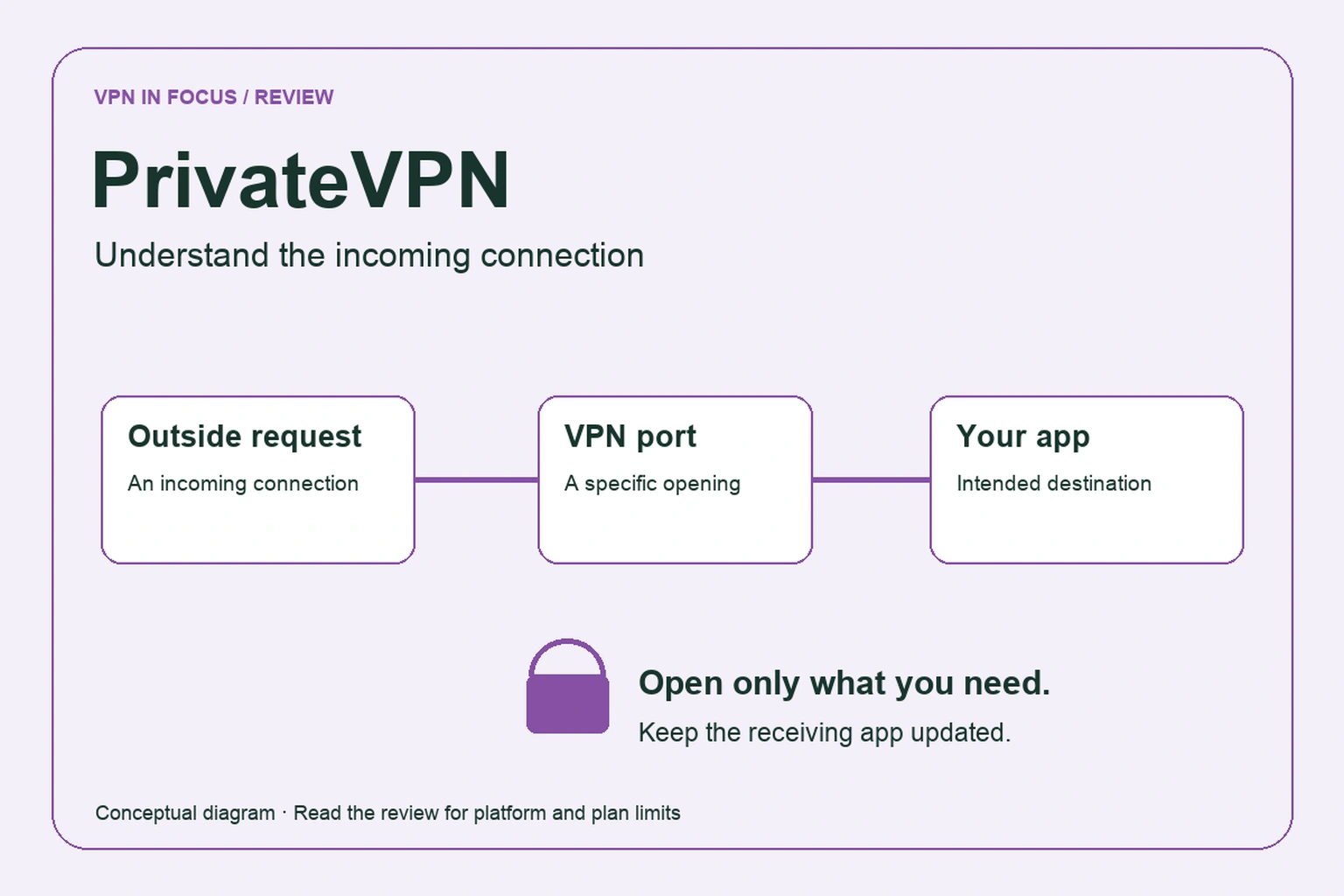
Ordinary VPN connections allow your device to start an outbound conversation and receive the reply. Incoming forwarding adds a path for traffic initiated from outside to reach a selected application behind the VPN. PrivateVPN explicitly promotes this capability, but the usable port and server behavior should be checked in the current setup instructions.
For example, a lawful file-sharing client may work without an incoming port yet reach fewer peers. A correctly configured forwarded port can change connectivity, rather than magically making the underlying line faster. Do not treat a forwarding checkbox as a speed guarantee.
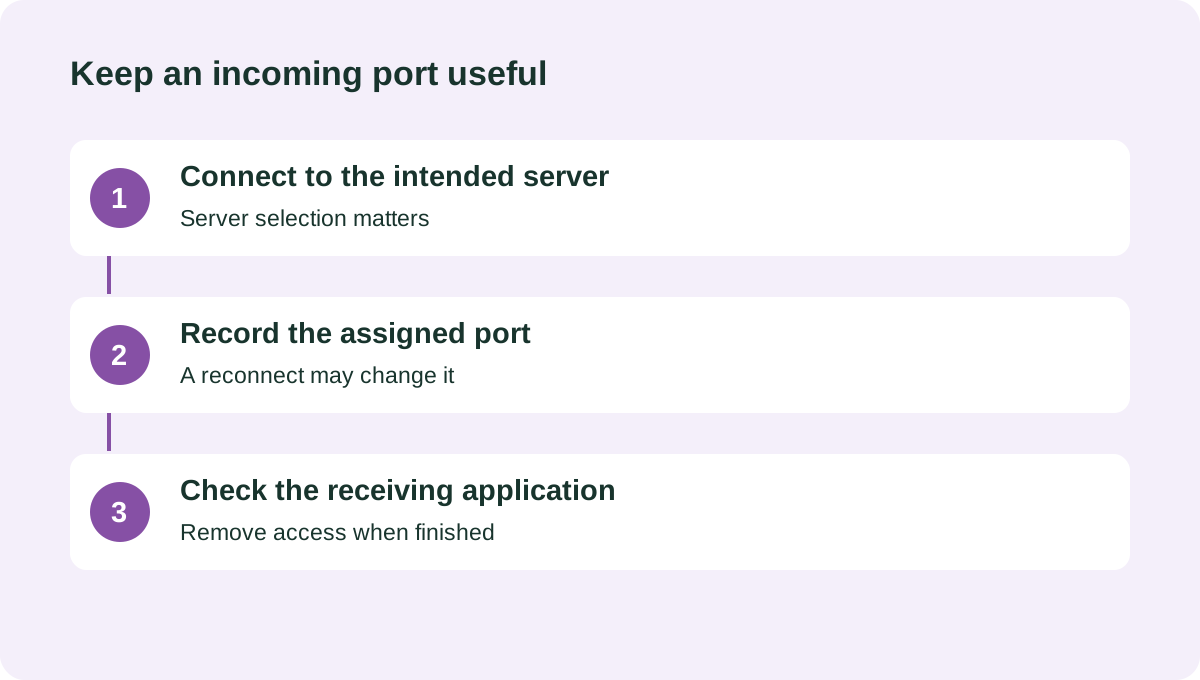
Opening a port also has a responsibility attached: the receiving application must be updated, intentionally configured and appropriate to expose. Never forward an operating-system administration service simply because a setup guide mentions a port. Keep the scope narrow and remove the mapping when the task is finished.
Check whether your assigned port remains the same after reconnecting or switching server. If it changes, a client using an old port may silently stop accepting incoming connections. Verify the actual application after each configuration change.
Protocols and connection controls
PrivateVPN’s protocol documentation emphasizes OpenVPN, including UDP and TCP transports, and discusses other manual connection options. This review does not assume that a native WireGuard option is available just because many competitors now offer one. If a particular protocol is a requirement, confirm current support for your exact operating system.
For a typical connection, begin with the app’s recommended setting. UDP is often a sensible OpenVPN starting point; TCP can be worth trying when a network interferes with the ordinary connection. Treat the result as a compatibility choice, not as an automatic ranking of which setting is safer or faster in every situation.
Legacy protocol names can appear in broad documentation. Their presence does not make every historical setup an equally good default today. Follow current installation guidance and avoid resurrecting an old tutorial simply because it happens to match a router menu.
Apps, devices and setup support
PrivateVPN provides desktop and mobile apps, with manual setup material for additional environments. Count the devices that will be active together against the ten-connection allowance. A device that has an app installed but is not connected is a different issue from ten simultaneous tunnels.
For a household, make the first test on the device that will be hardest to troubleshoot. That might be a router rather than a phone, or a laptop with a separate work VPN. Two network products that both change routes or DNS settings may need additional configuration; do not assume that each will behave as if the other were absent.
The provider advertises setup support. Prepare a useful support request with the operating system, app version, protocol and a description of what failed. Leave passwords and payment information out of diagnostic screenshots. If remote assistance is offered, understand what access you are granting and end the session when the issue is resolved.
Privacy policy and trust
PrivateVPN identifies itself as a Swedish service and advertises a no-traffic-logging approach. Country and policy are relevant pieces of context, but neither is an automatic guarantee of anonymity. The question is what data a particular system needs, retains and can associate with an account.
Read the privacy policy alongside the account creation and support process. A billing record can exist without containing browsing history. Conversely, a broad no-logs phrase should not be stretched into a claim that the website, payment processor and support desk collect nothing.
For a higher-risk requirement, ask for evidence that matches the requirement. A useful document identifies its author, scope and date. This review does not label PrivateVPN independently audited where we have not examined a relevant audit report. We also do not infer app transparency from the fact that OpenVPN itself is open source.
Subscription terms and the initial offer
The provider advertises a 30-day money-back guarantee. Confirm eligibility for your payment method and subscription before buying, then save the applicable conditions with the receipt. A guarantee requires a purchase and a timely request; it is not the same as using a free plan without payment.
Long promotions can combine an initial term with bonus months. Calculate the first charge divided by the total initial months, and then separately calculate the next billing period. A longer first term may be followed by shorter renewals at a different effective monthly cost.
As an illustrative exercise, compare a hypothetical $72 payment covering 36 months with a later $72 payment covering 12 months. The charge is the same, but the monthly equivalent changes from $2 to $6. These figures are not a PrivateVPN quotation; they demonstrate why the period beside the renewal price matters.
Servers, streaming and a realistic evaluation
The published network is smaller than the headline networks of several large providers. That is not enough to conclude that it will be slower for your route. A nearby, uncongested location can be more useful than hundreds of distant choices you will never select.
Test the location and application you need. For streaming, use your own account and follow the service’s terms; an accessible catalog today does not guarantee future availability. For a lawful peer-to-peer task, verify both the VPN connection and the incoming-port configuration.
We have not measured PrivateVPN speeds or run a streaming-service matrix. Evaluate at different times, keep the non-VPN baseline, and record failures as well as successes. If a feature only works after a fragile sequence of reconnects, include that inconvenience in your decision.
PrivateVPN compared with PIA and Proton VPN
Private Internet Access is worth comparing for more extensive desktop controls and an unlimited simultaneous-device policy. Proton VPN offers public app code and supported paid desktop forwarding. Their forwarding availability and setup procedures are not identical to PrivateVPN’s.
Choose based on the actual combination of platform, server and application. If you discover that incoming connectivity does not matter for your use, broaden the shortlist to include TotalVPN or another straightforward daily-use service.
| What matters | PrivateVPNRead review → |  Private Internet AccessRead review → Private Internet AccessRead review → |  Proton VPNRead review → Proton VPNRead review → |
|---|---|---|---|
| Best fit | Incoming connectivity | Advanced connection controls | Transparency & a free plan |
| Simultaneous devices | 10 | Unlimited | 10 paid / 1 free |
| Free plan | No permanent free plan | No permanent free plan | Yes — no data cap; restricted locations and features |
| Connection protocols | OpenVPN UDP/TCP; other manual protocols depend on device | WireGuard and OpenVPN; other options vary by app | WireGuard, OpenVPN, Stealth; platform availability varies |
| Multi-hop approach | No standard multi-hop feature documented | VPN with proxy routing on supported desktop apps | Secure Core (paid) |
| Blocking tools | No integrated ad-blocking suite documented | MACE; availability depends on app and distribution | NetShield (paid) |
| Port forwarding | Supported; check server and setup requirements | Supported server locations; not every region | Paid desktop apps; supported P2P servers |
| Refund policy | 30-day guarantee; eligibility and payment terms apply | 30 days for eligible purchases; exclusions apply | 30 days on eligible paid purchases; check current terms |
| Platform coverage | Windows, macOS, Android, iOS; manual Linux/router setup | Windows, macOS, Linux, Android, iOS; supported routers and browser extensions | Windows, macOS, Linux, Android, iOS; supported TV apps and routers |
| Operating jurisdiction | Sweden | United States | Switzerland |
| Code transparency | Proprietary apps | Open-source VPN apps | Open-source VPN apps |
| Support options | Live chat, support requests and setup guides | 24/7 customer support and help center | Help center and support requests; live-chat availability varies |
| Current plans | View plans | View plans | View plans |
PrivateVPN questions answered
Is PrivateVPN the same as PIA?
No. PrivateVPN, Private Internet Access and PrivadoVPN are separate services. Their similar names do not imply interchangeable accounts, software or features.
Does PrivateVPN offer port forwarding?
The provider advertises port forwarding. Check its current instructions for the selected server and confirm the assigned port inside the application you intend to use.
Is a smaller server network automatically slower?
No. Your distance to a location, congestion, protocol and ordinary internet connection all matter. We do not turn a server count into a performance score.
Check current plans, device support, renewal terms, and cancellation conditions directly with the provider.
Visit PrivateVPNSources & further reading
Provider statements describe advertised capabilities. They are not independent performance measurements. Sources were consulted while preparing this article on September 24, 2026.
About the author

Daniel’s section looks beyond product headlines to the details: how an audit is scoped, what a protocol changes, and where a feature has limitations. Weekly briefings turn these subjects into practical reading and checklists.
Daniel Brooks is a fictional contributor profile created for this publication. This profile does not represent a verified individual or professional credentials. Read our editorial policy.