12 VPNs, different reasons to shortlist them
These are our fit-based picks from the twelve services covered in detail. The labels describe documented strengths; they are not measured performance awards.

NordVPN
A versatile starting point for everyday VPN use.
- Ten simultaneous connections
- NordLynx and specialty connection modes


TotalVPN
A straightforward VPN with useful routing controls; check the exact app and renewal terms.
- Guided desktop, mobile and Apple TV setup
- Split-tunneling options on supported apps

Surfshark
A flexible subscription for a household full of devices.
- Unlimited simultaneous connections
- Customizable MultiHop routes

Proton VPN
An accessible free starting point, with deeper privacy tools on paid plans.
- A usable free plan without a data cap
- Open-source apps and published audits

ExpressVPN
A streamlined connection experience built around Lightway.
- Lightway available across major platforms
- Dedicated Aircove router option

CyberGhost
A guided approach to picking a server for the task at hand.
- Server categories for specific activities
- Longer refund window on eligible long plans

Private Internet Access
A configurable VPN for people who want more control over routing.
- Unlimited simultaneous connections
- Port forwarding in supported locations

IPVanish
A broad device ecosystem with mobile connection rules and optional threat filtering.
- Apps for mobile, desktop and TV devices
- Mobile connection rules and kill-switch controls


PrivateVPN
A focused VPN with advertised port forwarding and practical connection controls.
- Port forwarding for supported connections
- Ten simultaneous devices

PrivadoVPN
A free entry point with a high-speed allowance, plus paid security and routing tools.
- Free plan for trying the connection
- Paid SOCKS5 and split-routing tools

Hotspot Shield
A familiar free entry point and paid plans built around a simple connection experience.
- Free Basic tier for limited use
- Hydra and other protocol options by platform

Windscribe
A configurable VPN with a useful free tier, domain filtering and connection fallbacks.
- Free data allowance without a paid commitment
- Custom R.O.B.E.R.T. blocking rules
NordVPN: everyday features
NordVPN makes the most sense when you want one subscription that can grow with your needs. You can start with an ordinary encrypted connection and explore specialty servers later. That is a different proposition from buying the smallest possible app, or choosing a service specifically for incoming port forwarding. Its broad feature set is a reason to shortlist it, but also a reason to check what your chosen plan actually includes.
Choose Surfshark instead if removing the numerical device ceiling is your main priority. Choose Proton VPN if a permanent free plan and open-source apps matter more to you than NordVPN’s bundled security options. Choose PIA if incoming port forwarding and detailed connection controls are central to your workflow. ExpressVPN is another candidate if you prefer a streamlined connection interface and want to explore a supported router product.
TotalVPN: a guided everyday connection
TotalVPN is a candidate if you want an approachable VPN on mainstream devices and prefer a guided setup. Current standalone-app documentation covers protocol choices and selective routing. Check the exact platform: a Windows website exception and an Android application exception do not have the same scope.
The buying decision needs equal attention. Device allowances depend on the offer, and cancellation of renewal is separate from a refund request. Compare the final checkout, renewal amount and included products. Consider NordVPN for more specialty modes or Proton VPN if a permanent free entry point matters more. Read our full TotalVPN review.
Surfshark: multi-device households
Surfshark stands out most clearly when several people or devices need a VPN at the same time. Its unlimited simultaneous-connections policy removes the need to allocate a small set of device slots. That is useful for a home with phones, laptops and streaming devices, although each device still needs a supported app or network setup.
PIA is the most direct alternative for unlimited device connections, especially when port forwarding or deeper desktop controls matter. NordVPN is worth comparing if ten simultaneous devices are enough and its specialty features suit you. Proton VPN provides a permanent free entry point, which Surfshark does not. ExpressVPN may appeal if you place greater value on a simplified connection flow than on an unlimited allowance.
Proton VPN: transparency & a free plan
Proton VPN offers an unusually useful starting point for someone who is still deciding whether a VPN belongs in their daily routine: a permanent free plan without a data cap. That lets you explore the basic connection before buying a long subscription. The free product is still a restricted plan, with a different selection of locations and capabilities from the paid service.
NordVPN offers a different mix of specialty modes and security bundles if you do not need a permanent free tier. PIA is a strong comparison point for desktop routing and incoming connectivity. Surfshark removes the ten-device paid limit, which may matter more in a large household. ExpressVPN deserves a look if a simpler connection flow and a supported router product are your priorities.
ExpressVPN: straightforward connections
ExpressVPN is worth considering when you want the connection itself to be straightforward. Its Lightway protocol, broad app range and Aircove router product form a coherent ecosystem for everyday use. The main buying complication is now the subscription tier: Basic, Advanced and Pro do not offer the same device allowance or collection of extra tools.
NordVPN provides a different set of specialty connection modes. Surfshark or PIA can be a better fit if an unlimited device allowance is the central requirement. Proton VPN adds a permanent free plan and a different transparency model. If you are considering Aircove, compare total hardware and subscription costs with installing individual apps on the devices you already own.
CyberGhost: task-specific server lists
CyberGhost is most interesting for users who prefer a server list organized around a task. Rather than starting with a collection of advanced routing controls, you can explore categories for activities such as streaming or permitted P2P traffic on supported apps. That organization can reduce the effort of finding a suitable first connection.
ExpressVPN is worth comparing for a streamlined app and router ecosystem. NordVPN offers a broader set of specialty connection modes. Surfshark is a natural alternative when the seven-device registration limit is restrictive. PIA and Proton VPN are better comparison points when incoming connectivity matters more than activity-labeled server lists.
Private Internet Access: advanced connection controls
Private Internet Access, usually shortened to PIA, makes its strongest case through control. Unlimited device connections, open-source apps, split routing and supported port forwarding are practical features for a user who wants to tune a connection. They are less useful if you prefer never to see a network setting.
Proton VPN is the closest comparison for open-source apps and supported paid desktop port forwarding, with a permanent free tier as an additional entry point. Surfshark offers unlimited connections with a different balance of controls and bundled services. NordVPN and ExpressVPN are worth considering if you prefer their connection workflows and do not need incoming forwarding.
IPVanish: a household device ecosystem
IPVanish belongs on a shortlist when phones, desktops and TV devices all need attention. Its developer listings describe mobile connection rules and threat filtering, but platform coverage does not establish feature parity. Start with the least flexible device in your household and verify the task it must perform.
Read our review for the limits of the available evidence. We have not verified a universal refund promise across purchase channels or an independent speed result. Surfshark is a useful household comparison; Windscribe is worth a look if custom blocking rules and a free allowance are higher priorities. Read our full IPVanish review.
PrivateVPN: incoming port connectivity
PrivateVPN advertises port forwarding and ten simultaneous connections. Incoming connectivity is a specific reason to consider it for a legitimate application that needs to accept connections. Confirm the selected server, assigned port and whether reconnecting changes the mapping.
A smaller published network does not automatically imply a slower route. Compare PrivateVPN with PIA and Proton VPN for your actual platform and forwarding workflow. If you do not need an incoming port, give more weight to the interface, recovery behavior and purchase conditions. Read our full PrivateVPN review.
PrivadoVPN: a free high-speed allowance
PrivadoVPN lets you try a limited high-speed allocation before paying, followed by slower access under its published free-plan conditions. This can suit occasional use, but background backups and updates can consume the allowance. Check the account reset date rather than assuming a calendar-month cycle.
Paid features include additional routing and filtering tools. Be precise about device wording: support documentation distinguishes simultaneous connections from installation count. Compare Proton VPN when avoiding a free data cap is essential, or Windscribe when configurable blocking is central to your decision. Read our full PrivadoVPN review.
Hotspot Shield: choosing between Basic and Premium
Hotspot Shield has a free Basic product and paid offerings with a different collection of locations, restrictions and support options. The distinction matters more than a general description of the brand. Check the current app for your platform and the entitlement attached to your order.
The provider’s newer device-support information and some sales tables differ, so confirm your exact allowance. A direct-purchase refund offer should not be assumed to cover every store subscription. Evaluate your actual streaming device and account rather than treating a performance slogan as a test result. Read our full Hotspot Shield review.
Windscribe: configurable rules and connection options
Windscribe combines a free allowance with protocol alternatives, R.O.B.E.R.T. filtering and paid forwarding options. It is useful for someone who will maintain a few purposeful rules. It is less compelling if the extra settings will only make an ordinary connection harder to understand.
Free, Build A Plan and Pro do not have identical entitlements. The refund policy is conditional and considerably narrower than a generic 30-day promise, so use the free product to evaluate the app first. Compare Proton VPN for uncapped free data or PIA for another desktop-focused configuration approach. Read our full Windscribe review.
Build your own comparison
Select two or three services using their comparison buttons. The table covers protocols, device allowances, privacy tools, forwarding and refund terms. Use the differences-only switch to narrow the decision, then open the shareable page to keep the shortlist.
| What matters | NordVPNRead review → | TotalVPNRead review → | Proton VPNRead review → |
|---|---|---|---|
| Best fit | Everyday features | Simple everyday setup | Transparency & a free plan |
| Simultaneous devices | 10 | Plan-dependent; confirm the allowance at checkout | 10 paid / 1 free |
| Free plan | No permanent free plan | No permanent free plan documented | Yes — no data cap; restricted locations and features |
| Connection protocols | NordLynx, OpenVPN; NordWhisper on supported apps | WireGuard and Hydra in supported standalone apps; older product pages list OpenVPN/IKEv2 | WireGuard, OpenVPN, Stealth; platform availability varies |
| Multi-hop approach | Double VPN | No multi-hop feature documented | Secure Core (paid) |
| Blocking tools | Threat Protection; features vary by plan and platform | Separate Total Adblock / TotalAV products; check bundle contents | NetShield (paid) |
| Port forwarding | Not offered | No incoming forwarding documented | Paid desktop apps; supported P2P servers |
| Refund policy | 30 days; eligibility and purchase-channel terms apply | 30 days annual/biannual; 14 days monthly/quarterly; termination and request required | 30 days on eligible paid purchases; check current terms |
| Platform coverage | Windows, macOS, Linux, Android, iOS; supported TV apps and routers | Windows, macOS, Android, iOS and Apple TV; features vary | Windows, macOS, Linux, Android, iOS; supported TV apps and routers |
| Operating jurisdiction | Panama | Total Security; contracting entity depends on offer | Switzerland |
| Code transparency | Selected components; not all apps | Proprietary apps | Open-source VPN apps |
| Support options | Live chat and help center | Help center and account/billing support | Help center and support requests; live-chat availability varies |
| Current plans | View plans | View plans | View plans |
Start with Proton VPN if publicly inspectable software and a free starting point matter most. Consider NordVPN if you want a broad feature set to explore. Put Surfshark on your list if covering many devices is your main concern. These are research-based recommendations for different needs, not a speed ranking.
A VPN should solve a problem you can name. Perhaps you want to limit what a local network can learn about your browsing destinations. Perhaps you move between home, hotels, and cafes and want a consistent connection setup. Or perhaps you simply want your usual residential IP address to be less exposed to websites. Those needs lead to different choices, and none requires buying the longest subscription on the first page you visit.
This guide compares the practical fit of twelve services using their published documentation. We have not run a laboratory benchmark or claimed a universal winner. Prices, promotional terms, app features, and regional availability change, so the most useful decision is based on requirements you can verify on your own devices.
Our shortlist at a glance
| Service | Why consider it? | What to check |
|---|---|---|
| Proton VPN | Open-source apps; a free entry point | Which features require a paid plan |
| NordVPN | Several connection and security options | Platform and subscription differences |
| Surfshark | An unlimited-device subscription policy | Renewal cost and features on each device |
The table is intentionally about decisions, rather than promotional discounts. A low advertised monthly equivalent is not the same as a low amount charged today. A plan with more extras is not necessarily a better VPN for someone who will never use those extras. And a provider that suits your laptop may be less suitable for your television or router.
Proton VPN: start with transparency
Proton publishes its app source code and describes independent audits. Its free plan provides a way to try the basic service without starting a paid subscription. These are useful signals for a reader who wants to inspect evidence and learn the app before making a longer commitment.
Our reason for including it is the decision path this creates: try the connection workflow, read the documentation, then decide whether the paid features answer an actual need. That is a more informative exercise than guessing from a marketing screenshot. Public source code is not proof that every released build is flawless, and an audit has a specific scope and date. Treat both as evidence to examine, not magic words.
The main question is whether the plan you are considering provides the locations, supported devices, and features you want. A free tier can be useful while still having different capabilities from a paid tier. Do not assume that a tutorial showing a premium setting applies to the free app you just installed. Our Proton VPN review explains how to read those differences.
NordVPN: explore a broader toolkit
NordVPN documents a range of connection features and a WireGuard-based protocol called NordLynx. It is worth considering if you like having several tools available and are willing to read which ones apply to your operating system and plan.
A broad toolkit also creates a purchasing trap: it is easy to confuse the value of the base VPN with the value of an entire security bundle. Write down the features you expect to use. If all you need is a VPN connection, optional storage, identity, or scanning products should not silently become requirements. Compare the actual service you want rather than the number of icons beside a higher-priced plan.
You should also investigate how connection controls behave in the particular app you will use. A familiar setting name may conceal different behavior on a phone and a desktop computer. NordVPN belongs on this shortlist for feature-oriented readers, but we do not attach an invented claim that it is fastest on every connection. See the full research-based review for the questions to resolve before subscribing.
Surfshark: think about the whole household
Surfshark advertises unlimited simultaneous device connections. That makes the account policy relevant to a household with several phones, laptops, and other supported devices. It does not mean every device can run the same app, or that all connected devices can saturate a home internet connection at once.
Make a device inventory before choosing. A family may have two laptops, several phones, and a smart TV, but the TV’s operating system and the router’s compatibility can matter more than the numerical connection limit. An unsupported device does not become supported because the account allows another connection.
Value also depends on time. A long prepaid offer can look inexpensive when divided by the number of included months, while a later renewal has a different billing period or total. Record the first charge, the next charge, and the cancellation process. Our Surfshark review uses a household checklist to make those details concrete.
Match the service to your actual use
For everyday privacy: prioritize a straightforward connection workflow, a clear policy, and the features available in your main app. A setting you understand and use consistently may be more useful than several advanced options left at their defaults. Read what a VPN can and cannot do before treating it as complete protection.
For travel: install and sign in before departure, keep a recovery method available, and check the rules and service availability at your destination. Hotel login pages and unstable networks introduce practical problems that do not appear in a list of server locations. Test recovery from Wi-Fi to mobile data while you still have time to troubleshoot.
For streaming: do not buy solely on a promise that every catalog will remain accessible. Streaming services can change their technical restrictions and account requirements. Device support, playback stability, and the service’s own terms all matter. A refund policy should be read as a set of conditions, not a guaranteed free trial.
For a household: decide who manages the subscription and where recovery information is stored. Check whether members need separate accounts or share one login under the provider’s rules. More connections do not justify sharing a password casually or turning off account security to make setup faster.
A better way to compare the cost
Suppose one plan costs a hypothetical $72 for 24 months and another costs $48 for 12 months. The first has a lower monthly equivalent, but requires a larger initial payment and a longer commitment. If the first renews at a different rate, its first-term monthly figure says little about your future bill. These numbers are illustrative, not live prices for the services above.
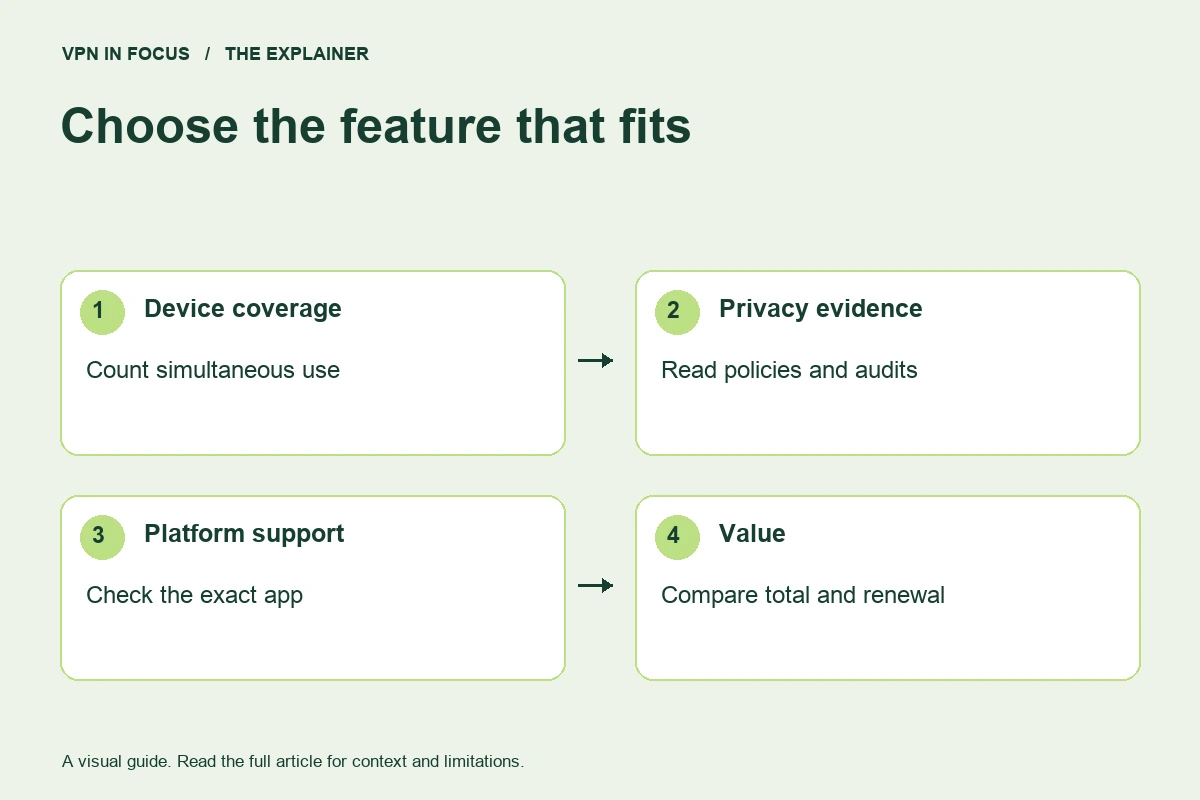
Use the same period when comparing costs. Include taxes where shown, consider how much flexibility you need, and take a copy of the terms visible when you purchase. Check whether a refund applies to your payment method and whether an app-store subscription is managed somewhere else. If a promotion pressures you to decide before understanding the charge, pause and read the checkout again.
What to verify during your first week
- Install the official app on the device you use most, then check whether it reconnects after sleep and network changes.
- Compare ordinary browsing and calls with and without the VPN on the same network. Keep notes about location, protocol, and time.
- Read the kill-switch setting and test its documented behavior during a low-risk session. A simple IP check is useful, but is not a full audit.
- Confirm that essential websites and local devices still work. Document any split-tunneling exception you create.
- Locate the renewal controls, support channel, and cancellation instructions before the refund window ends.
Do not change five settings at once to fix one problem. If a connection becomes unreliable, start with a nearby location, then change one variable at a time. The slow VPN troubleshooting guide gives you a repeatable process instead of a list of guesses.
Why there is no numerical winner here
A score such as 9.7 out of 10 looks precise, but without measured inputs it does not explain much. Performance changes with distance, congestion, device capability, and network policy. Privacy depends on implementation and organizational behavior that a marketing checklist cannot fully establish. Our shortlist therefore uses specific strengths and explicit limitations.
This approach also leaves room for a sensible outcome that earns no commission: you may decide to use a free plan, postpone the purchase, or improve your browser and account settings first. The right next step is the one that addresses your problem with a level of commitment you understand.
Common questions
Do I need a paid VPN on every device?
Not necessarily. Start with the devices and situations for which a VPN answers a clear need. Free plans, operating-system restrictions, and existing work connections can change what makes sense.
Is the lowest advertised price the best deal?
Compare the total payment, subscription length, renewal, and cancellation conditions. An introductory monthly equivalent does not describe the full purchase.
Can a VPN make me anonymous?
No. Accounts, cookies, browser characteristics, payment records, and compromised devices can still identify you. A VPN changes one part of the connection, not every source of identification.
Sources & further reading
Provider statements describe advertised capabilities. They are not independent performance measurements. Sources were consulted while preparing this article on September 24, 2026.
- Device allowance
- Windows app and features
- Trust center
- Plans
- Unlimited connections
- Feature guide
- Multi-device features
- Subscription plans
- Plans explained
- Feature reference
- Desktop port forwarding
- No-logs policy
- Pricing
- Connection limits by plan
- Lightway protocol
- TrustedServer
- Features
- Pricing and renewals
- Device policy
- Refund windows and exclusions
- No-logs and protocol information
- Terms
- Features and device policy
- Configuration guides
- No-logs policy
- Transparency reporting
- Terms and refunds
- TotalVPN: Product and subscription details
- TotalVPN: Current installation and protocols
- IPVanish: Developer’s iOS feature listing
- IPVanish: Developer’s Android listing
- PrivateVPN: Product overview and device allowance
- PrivateVPN: Protocols
- PrivadoVPN: Free plan
- PrivadoVPN: Connection allowance
- Hotspot Shield: Product and direct-purchase guarantee
- Hotspot Shield: Basic versus Premium
- Windscribe: Free allowance
- Windscribe: Protocol choices
About the author

Alex’s coverage starts with a simple question: what do you actually need a VPN to do? This profile brings together buying guides and service comparisons, with a focus on subscription terms, device compatibility, and useful everyday features.
Alex Morgan is a fictional contributor profile created for this publication. This profile does not represent a verified individual or professional credentials. Read our editorial policy.