 Transparency & a free plan
Our take
An accessible free starting point, with deeper privacy tools on paid plans.
Who should choose Proton VPN?
Proton VPN offers an unusually useful starting point for someone who is still deciding whether a VPN belongs in their daily routine: a permanent free plan without a data cap. That lets you explore the basic connection before buying a long subscription. The free product is still a restricted plan, with a different selection of locations and capabilities from the paid service.
The paid proposition focuses on privacy tools and transparency. Open-source apps make the implementation available for inspection, while Secure Core adds a deliberate extra routing step. Paid desktop port forwarding also gives Proton a concrete place on a shortlist for users who need incoming connectivity for an authorized application.
We would begin with Proton if you value an accessible free option or want to examine the software and policies behind a privacy claim. We would compare the paid tier more closely if streaming, a specific country or advanced P2P controls are the main reasons for subscribing. A good free experience is not proof that every paid use case will work on every device.
What stands out
- A usable free plan without a data cap
- Open-source apps and published audits
- Secure Core and desktop port forwarding on paid plans
What to weigh up
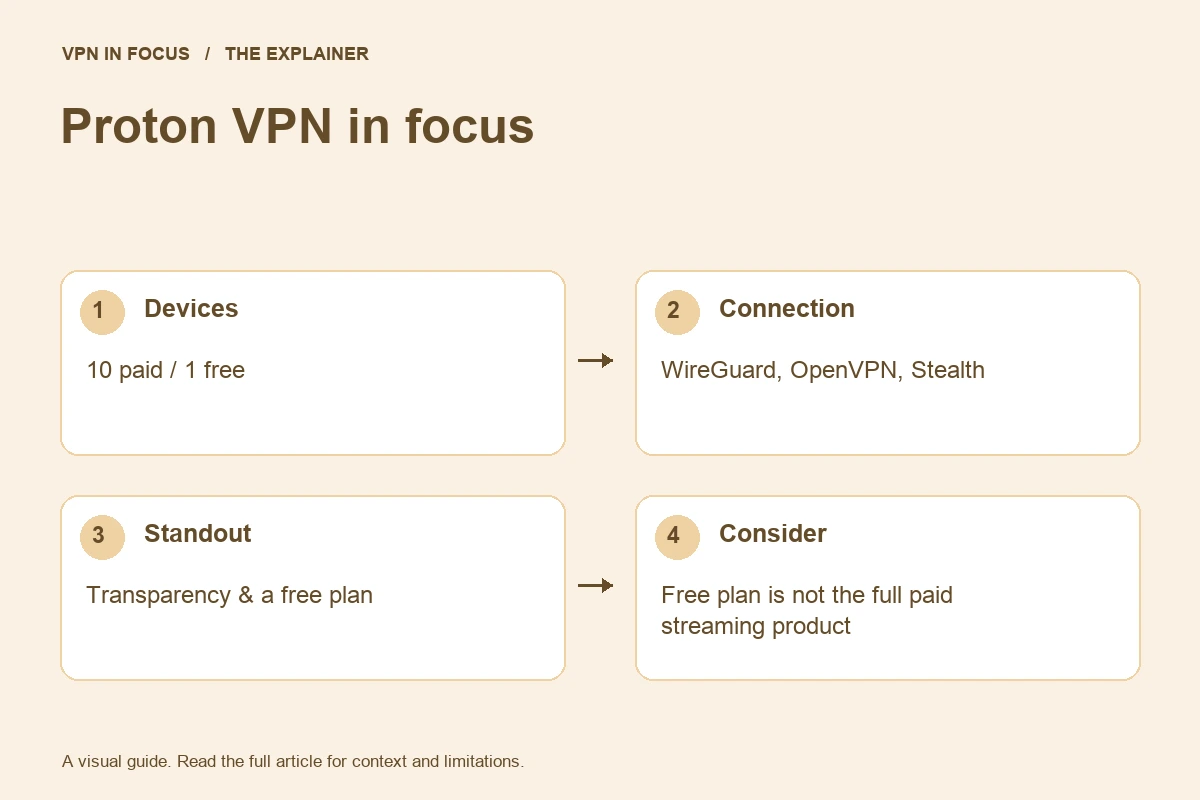
- Free plan is not the full paid streaming product
- Advanced tools vary by platform
- Secure Core adds an extra routing hop
Proton VPN at a glance
| Devices | 10 paid / 1 free |
|---|---|
| Protocols | WireGuard, OpenVPN, Stealth; platform availability varies |
| Free option | Yes — no data cap; restricted locations and features |
| Port forwarding | Paid desktop apps; supported P2P servers |
| Refund window | 30 days on eligible paid purchases; check current terms |
| Jurisdiction | Switzerland |
Prices, plans and renewal terms
Separate Proton Free, VPN Plus and broader Proton bundles when comparing costs. A bundle that adds mail, storage or a password manager can be useful if you want those services, but it is not necessary merely to establish a VPN connection. The free plan supports a narrower experience; the paid VPN plan supports up to ten simultaneous devices.
A free plan is different from a paid plan with a money-back period. With Free, you can explore within its restrictions without prepaying a subscription. With a paid plan, check the checkout total, renewal date and current refund terms. Avoid assuming that a subscription purchased through an app store follows the same refund process as a direct purchase.
Plan choices at a glance
| Option | Main distinction | Buying consideration |
|---|---|---|
| Free | One connection; restricted locations and features | Basic use without a data cap |
| VPN Plus | Up to ten connections and paid VPN features | Specific locations, advanced privacy tools and supported P2P |
| Proton Unlimited | A broader Proton product bundle | Compare the email, storage and other services separately |
Example only: a $72 charge covering 24 months is a $3 monthly equivalent, not a $3 monthly payment. If renewal is $90 for 12 months, the later equivalent is $7.50. Use the actual checkout totals, taxes and term lengths for your offer.
Connection features and advanced tools
Secure Core sends traffic through an additional privacy-focused entry server before the exit server. This adds another part to the route, which may be useful for a particular threat model but can also increase latency. It does not make logged-in website activity anonymous or remove the need to trust the service’s infrastructure.
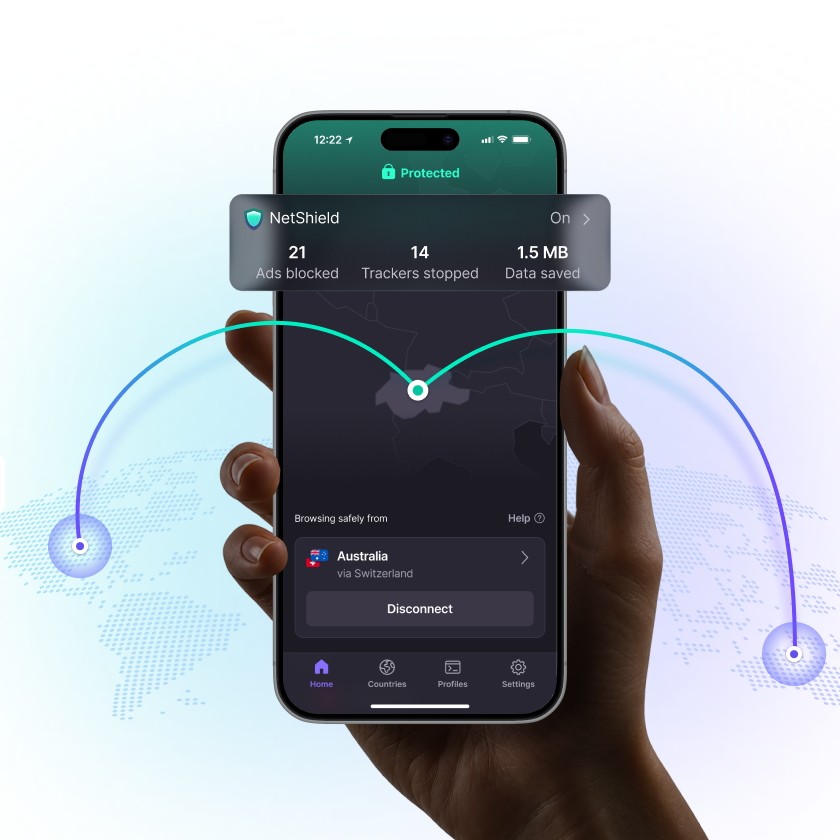
NetShield is Proton’s paid filtering feature for selected unwanted or malicious destinations. It works at a different layer from a browser’s cosmetic ad filtering and from antivirus scanning. WireGuard and other supported connection protocols address the tunnel itself. Stealth is intended for situations where disguising VPN traffic can help with connectivity, with availability depending on the current app.
Port forwarding is a meaningful paid feature for desktop users. Proton documents it for the Windows, macOS and Linux graphical apps on supported configurations. The forwarded port belongs to the VPN connection, not automatically to your home router. Follow the application-specific setup, keep the port number in sync, and avoid exposing services you did not intend to make reachable.
Privacy, logging and security
Open-source code is a transparency advantage because independent people can inspect it. It is not a claim that every line has been reviewed by every user, nor does it guarantee that a particular downloaded binary exactly matches the code you read. Published audits add another kind of evidence; their scope and date still matter.
Proton’s no-logs documentation describes how it handles VPN activity. Read this alongside the account and payment information required for the services you use. A Proton account may connect several products, so understand which data belongs to the VPN and which belongs to email, billing or support.
Use the kill switch and, where supported, a persistent blocking mode according to your own needs. A setting that blocks traffic when the VPN is unavailable can also stop access to a captive portal until you handle the login. Plan for this before travel. The app’s connected indicator should be one part of your check, alongside the public IP and the behavior of the actual application.
Speed and connection reliability
Free and paid connections should be evaluated separately. The free product’s location selection and service conditions are different from a paid route you explicitly choose. A slow result on one free route is not a controlled comparison of every paid server; a fast result on a paid local server does not guarantee the same experience through Secure Core.
Measure the mode you intend to use. If Secure Core is the reason for your subscription, include it in your evaluation rather than testing only the shortest single-hop route. For a remote desktop session, focus on latency and reconnection. For an authorized large download, throughput and sustained stability matter more.
This is a research-based assessment of documented features and policies. We have not performed a controlled hands-on speed, leak or streaming test for this review. No measured score or pass result is implied. Provider sources and the review date are listed below.
Streaming and viewing on different devices
Treat reliable access to supported streaming services as a paid-plan use case, rather than the purpose of Proton Free. A specific library can depend on the streaming account, location, platform and service rules. Check the provider’s current device guide and test your actual TV or phone. A successful browser session does not establish that a separate television app will behave identically.
Torrenting and incoming connections
Paid P2P support and port forwarding make Proton worth examining for authorized file sharing. Choose a supported server, configure the forwarded port according to the current desktop guide, and check whether the application can bind to the VPN interface. A port change after reconnecting can require an application update. None of these controls grants permission to distribute copyrighted material without authorization.
Apps, compatibility and getting started
Proton VPN covers the major desktop and mobile platforms, with additional supported TV and router configurations. Desktop apps are particularly relevant if you need port forwarding. Do not expect a mobile app to expose every setting shown in a desktop guide, even when both are part of the same paid subscription.
For a first installation, use the official download route, grant the required VPN permission and connect with the default protocol. After verifying a basic connection, introduce NetShield, split-routing options or Secure Core one at a time. This makes it easier to identify which setting affects a particular website or work application.
A focused first-day check
- Install the official app and establish a normal nearby connection.
- Confirm the public exit address and test the applications you actually use.
- Read the kill-switch settings and verify reconnection after sleep or a network change.
- Add one optional feature at a time, recording any intentional routing exception.
- Keep the purchase receipt, renewal date and relevant refund deadline.
Customer support and troubleshooting
Proton’s support library is useful because advanced features often have platform-specific instructions. State your plan as well as your device when requesting help: an issue on Free can have a different explanation from a paid feature not appearing. Support channels and live-chat availability can depend on the service and account, so consult the current contact options after signing in.
How it compares with the alternatives
NordVPN offers a different mix of specialty modes and security bundles if you do not need a permanent free tier. PIA is a strong comparison point for desktop routing and incoming connectivity. Surfshark removes the ten-device paid limit, which may matter more in a large household. ExpressVPN deserves a look if a simpler connection flow and a supported router product are your priorities.
| What matters | Proton VPNRead review → |  Private Internet AccessRead review → Private Internet AccessRead review → |  NordVPNRead review → NordVPNRead review → |
|---|---|---|---|
| Best fit | Transparency & a free plan | Advanced connection controls | Everyday features |
| Simultaneous devices | 10 paid / 1 free | Unlimited | 10 |
| Free plan | Yes — no data cap; restricted locations and features | No permanent free plan | No permanent free plan |
| Connection protocols | WireGuard, OpenVPN, Stealth; platform availability varies | WireGuard and OpenVPN; other options vary by app | NordLynx, OpenVPN; NordWhisper on supported apps |
| Multi-hop approach | Secure Core (paid) | VPN with proxy routing on supported desktop apps | Double VPN |
| Blocking tools | NetShield (paid) | MACE; availability depends on app and distribution | Threat Protection; features vary by plan and platform |
| Port forwarding | Paid desktop apps; supported P2P servers | Supported server locations; not every region | Not offered |
| Refund policy | 30 days on eligible paid purchases; check current terms | 30 days for eligible purchases; exclusions apply | 30 days; eligibility and purchase-channel terms apply |
| Platform coverage | Windows, macOS, Linux, Android, iOS; supported TV apps and routers | Windows, macOS, Linux, Android, iOS; supported routers and browser extensions | Windows, macOS, Linux, Android, iOS; supported TV apps and routers |
| Operating jurisdiction | Switzerland | United States | Panama |
| Code transparency | Open-source VPN apps | Open-source VPN apps | Selected components; not all apps |
| Support options | Help center and support requests; live-chat availability varies | 24/7 customer support and help center | Live chat and help center |
| Current plans | View plans | View plans | View plans |
Frequently asked questions
Does Proton Free have a data allowance?
Proton advertises its free plan without a data cap. It still restricts locations and advanced features, so it is not equivalent to VPN Plus.
Is Secure Core always better?
It adds another server to the route. Whether that is useful depends on your threat model, and the extra route can affect responsiveness.
Can I use port forwarding on an iPhone?
The current cited Proton guide documents port forwarding for paid desktop graphical apps on Windows, macOS and Linux. Do not assume that desktop feature is available on iOS.
Check current plans, device support, renewal terms, and cancellation conditions directly with the provider.
Visit Proton VPNSources & further reading
Provider statements describe advertised capabilities. They are not independent performance measurements. Sources were consulted while preparing this article on September 24, 2026.
About the author

Alex’s coverage starts with a simple question: what do you actually need a VPN to do? This profile brings together buying guides and service comparisons, with a focus on subscription terms, device compatibility, and useful everyday features.
Alex Morgan is a fictional contributor profile created for this publication. This profile does not represent a verified individual or professional credentials. Read our editorial policy.