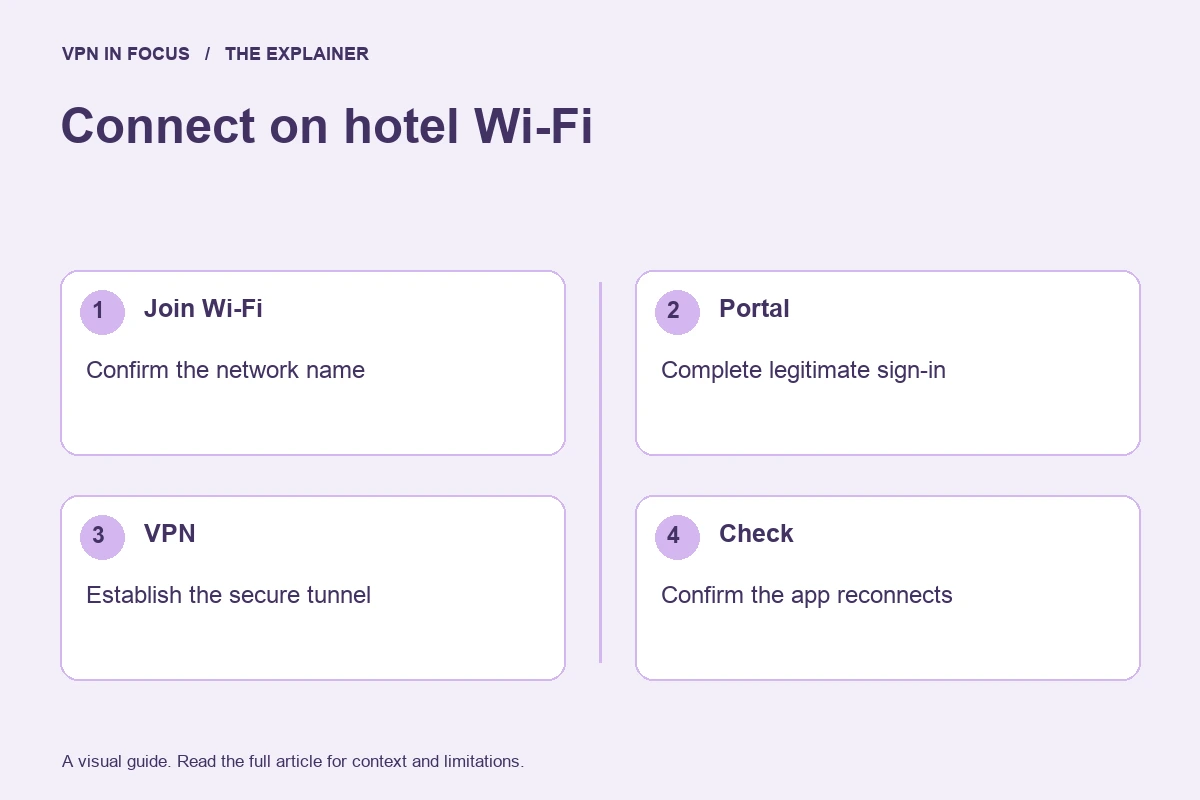
A hotel network may require a browser step before it allows ordinary internet traffic. That captive portal can make a correctly installed VPN appear broken. This week’s briefing focuses on the order of operations and the importance of restoring your intended settings afterward.
The problem is not always the VPN server. If the network has not granted general access, the app may have no usable path to establish its tunnel. Repeatedly switching countries may therefore change nothing.
Identify the legitimate portal
Confirm the network name with the venue and read the page address and requested information carefully. A room number or voucher can be part of an ordinary access process. An unexpected request for an unrelated email password, certificate installation, or banking login deserves scrutiny.
Do not bypass a browser security warning simply to get through the process. If the portal is confusing, ask the venue or use an alternative connection. A familiar logo on a page is not enough to establish who operates it.
Follow the app’s documented procedure
A strict kill-switch mode may block the traffic needed for the portal. Consult the provider’s instructions for this situation. If a temporary change is required, understand that some traffic may be outside the tunnel during that interval and avoid sensitive tasks.
Complete only the legitimate network access step, then restore the desired VPN settings and confirm that the connection is established. This is a controlled sequence, not a reason to leave protections disabled for the rest of the trip.
Avoid a collection of permanent exceptions
A workaround that helps in one hotel can become a forgotten setting at home. Keep a short note of any change, including split-tunneling or local-network exceptions. Remove it when the reason no longer applies.
If the VPN still cannot connect after the portal is complete, test basic non-sensitive connectivity and follow the provider’s troubleshooting steps. A working browser does not prove that every protocol is allowed by the network, so support may recommend a different supported mode.
This week’s practical check
Before your next trip, find the captive-portal instructions for your VPN and save them where you can read them offline. Confirm your account recovery method while on a known connection. Our public Wi-Fi guide provides the broader routine, including when a fallback connection is the simpler choice.
Sources & further reading
This evergreen briefing was prepared on September 24, 2026 for scheduled publication. It does not report a future event. Check linked documentation for changes to product behavior.
About the author

Maya’s section makes the mechanics of online privacy easier to understand. Topics include encrypted connections, public Wi-Fi, browser privacy, and small settings changes that readers can check on their own devices.
Maya Bennett is a fictional contributor profile created for this publication. This profile does not represent a verified individual or professional credentials. Read our editorial policy.